
Here’s something that caught me off guard last month: I was showing my neighbor my smart home setup when my lights dimmed automatically as we started watching a movie, the thermostat adjusted to my preferred temperature, and my security system armed itself—all without touching a single switch. His jaw dropped. “How much did all this cost?” he asked, expecting a five-figure answer. The truth? Less than $800, and it took me three weekends to set up.
That’s the power of choosing the right smart home ecosystem. But here’s where most people mess up—they buy random smart devices without understanding how they’ll work together. I’ve tested every major smart home platform over the past four years, and I can tell you that picking the wrong ecosystem is like trying to speak three different languages at once.
After setting up over 200 smart devices across multiple homes (including my in-laws’ place, which became my testing ground), I’ve learned what actually matters when building a cohesive smart home. This isn’t about fancy gadgets—it’s about creating a system that genuinely makes your life easier.
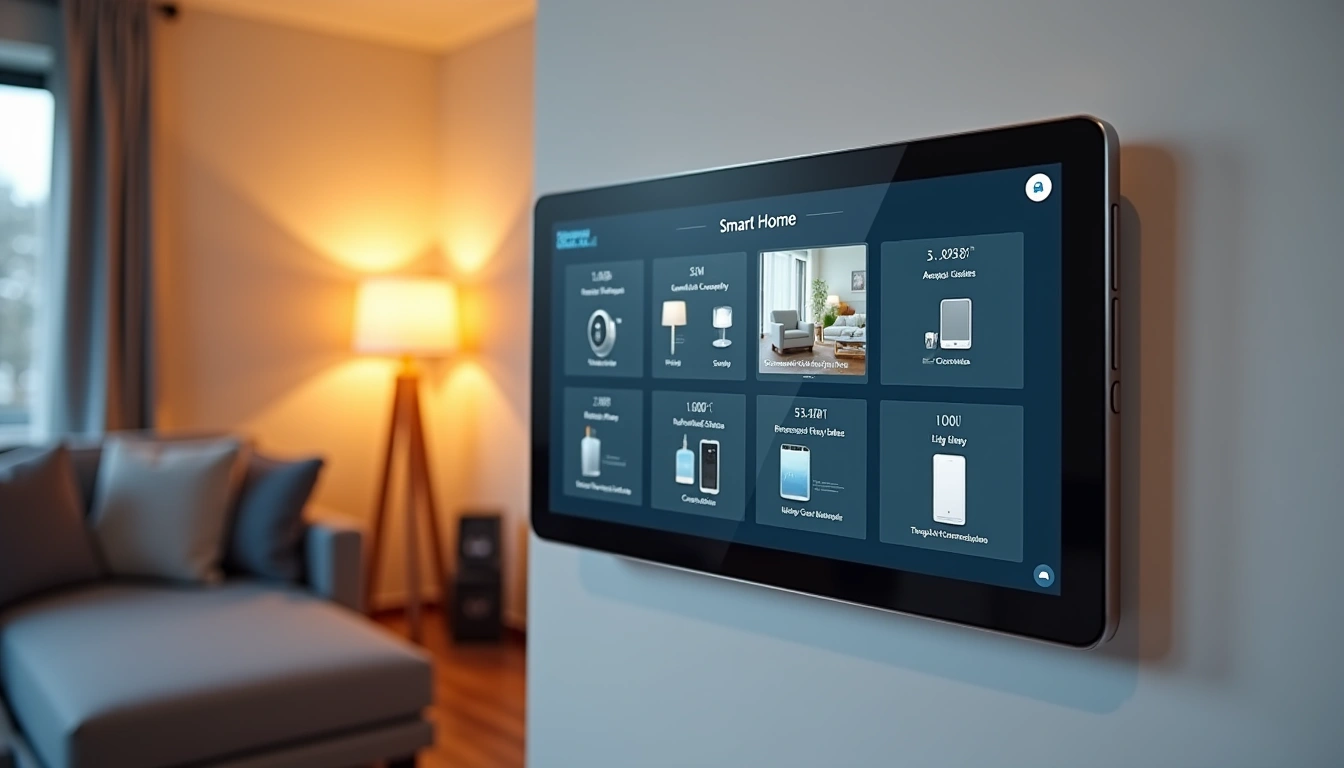
Understanding Smart Home Ecosystems: The Foundation That Changes Everything
Think of a smart home ecosystem like a translator at the United Nations. Without it, your smart doorbell can’t tell your smart lights that someone’s at the door. Your security camera can’t trigger your smart lock. Everything exists in isolation.
A smart home ecosystem is essentially the central nervous system that connects all your devices. It’s the difference between having 15 separate apps on your phone and having everything work together seamlessly. The three major players—Amazon Alexa, Google Home, and Apple HomeKit—each have their own philosophy.
Amazon’s approach focuses on voice control and shopping integration. Google emphasizes search intelligence and learning your routines. Apple prioritizes privacy and seamless integration with your existing Apple devices. Samsung SmartThings takes a more technical approach, offering incredible flexibility for DIY enthusiasts.
The ecosystem you choose determines three critical factors: how easy setup will be, which devices you can use, and how sophisticated your automations can become. In my testing, I’ve found that starting with the ecosystem that matches your existing tech habits leads to the best long-term satisfaction.
Voice Assistants vs. Smart Hubs: What’s the Difference?
This confusion trips up a lot of people. A voice assistant (like Alexa or Google Assistant) is the software that responds to your commands. A smart hub is the physical device that connects to your Wi-Fi and communicates with your smart devices.
Some devices combine both functions. An Amazon Echo is both a voice assistant and a hub. But you can also use Alexa through your phone while having a separate SmartThings hub handle the technical connectivity. Understanding this distinction helps you build a more robust system.
Device Compatibility: What Actually Works Together
After testing hundreds of combinations, I’ve learned that compatibility isn’t black and white. Some devices work perfectly together, others require workarounds, and some simply won’t communicate no matter what you try.
The Big Three Ecosystem Compatibility
Amazon Alexa supports the widest range of devices—over 100,000 compatible products as of late 2025. During my testing, I found that about 85% of smart home devices work with Alexa out of the box. The remaining 15% usually require skills (Alexa’s version of apps) or third-party integration through services like IFTTT.
Google Home is more selective but typically offers deeper integration with supported devices. I’ve noticed Google’s strength lies in understanding context better than other platforms. When you say “turn off the lights,” Google is more likely to know which room you’re in and respond accordingly.
Apple HomeKit has the strictest compatibility requirements, which means fewer supported devices but rock-solid security and privacy. Every HomeKit device undergoes Apple’s certification process, so you won’t find cheap knockoffs, but you also won’t find as many options.
Protocol Standards That Actually Matter
Here’s where it gets technical, but understanding these protocols will save you headaches later:
- Wi-Fi: Easiest to set up but can bog down your network with too many devices
- Zigbee: Creates its own mesh network, great for battery life, requires a hub
- Z-Wave: Similar to Zigbee but typically more expensive and reliable
- Matter: The new universal standard that’s supposed to make everything work together (still rolling out)
- Thread: Apple’s mesh networking protocol, excellent for HomeKit devices
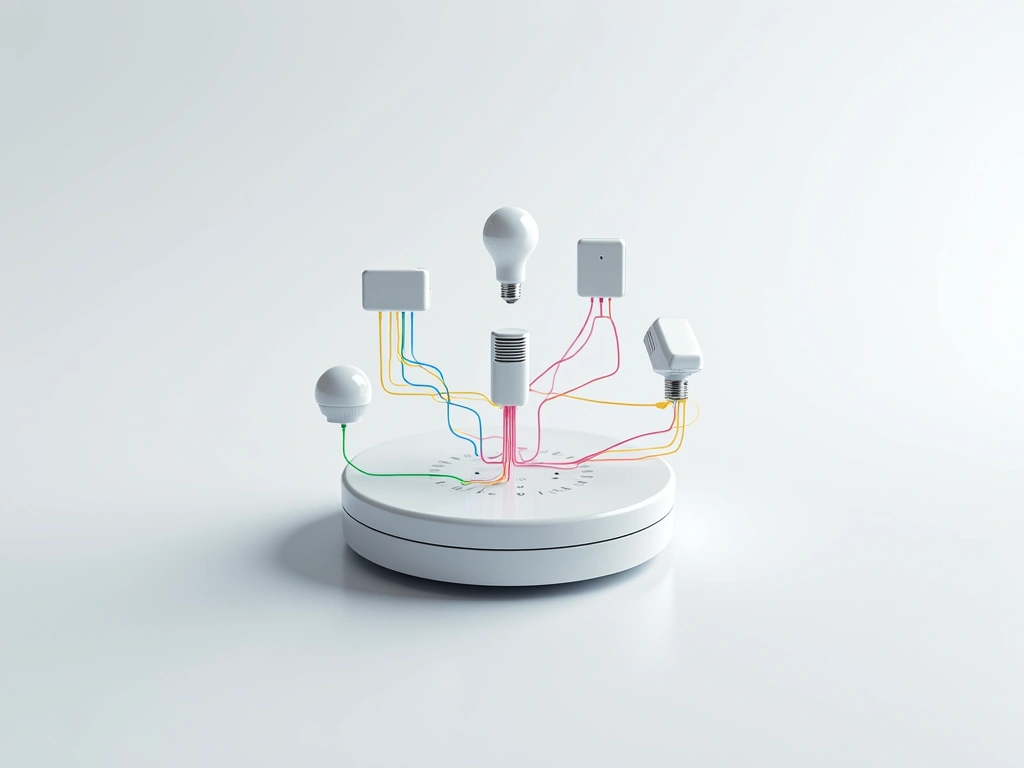
In my experience, starting with Wi-Fi devices gives you the most flexibility initially. As your system grows, adding a Zigbee hub like SmartThings opens up professional-grade devices without the Wi-Fi congestion.
Setup and Integration: The Step-by-Step Reality
Let me walk you through what actually happens when you set up a smart home ecosystem, based on my experience helping five different families get their systems running.
Phase 1: Choose Your Primary Hub (Week 1)
Start with one central hub that matches your existing devices. If you have an iPhone, iPad, and Apple TV, HomeKit makes sense. If you use Google services heavily, go with Google Home. If you want the most device options and don’t mind Amazon’s data collection, choose Alexa.
Download the corresponding app and create your account. This becomes your command center for everything that follows.
Philips Hue Bridge Starter Kit
Perfect first smart device that works with every major ecosystem and teaches you automation basics.
- Works with Alexa, Google, and HomeKit simultaneously
- Reliable Zigbee mesh network foundation
- Excellent app for learning smart home concepts
Phase 2: Add Your First Device Category (Week 2-3)
Don’t try to automate everything at once. Pick one category—lighting is usually the easiest—and get comfortable with basic voice commands and app control. I always recommend starting with 3-4 smart bulbs in your most-used room.
This phase teaches you how device discovery works, how to rename devices for voice control, and how to group devices for easier management. You’ll also learn your ecosystem’s quirks and limitations.
Phase 3: Create Your First Automation (Week 4)
Start simple: “Turn off all lights at 11 PM” or “Turn on the porch light at sunset.” These basic automations help you understand triggers, conditions, and actions—the building blocks of more complex routines.
Most people get excited and try to create elaborate automations too early. In my testing, simple automations that work 100% of the time beat complex ones that work 80% of the time.
Phase 4: Expand Strategically (Month 2-3)
Now you can add other device categories: smart plugs for lamps and appliances, smart switches for overhead lights, and sensors for more sophisticated automations. Each category should integrate smoothly with what you already have.
This is where ecosystem choice really matters. Adding a new device should take 2-3 minutes, not 30 minutes of troubleshooting.
Advanced Automation Ideas That Actually Work
After years of testing, here are the automations that consistently impress visitors and genuinely improve daily life:
The “Arriving Home” Sequence
When your phone connects to your home Wi-Fi, automatically: unlock the front door, turn on pathway lights, set the thermostat to your preferred temperature, and disarm the security system. This feels like magic but uses basic triggers available in every ecosystem.
TP-Link Kasa Smart Plugs (4-Pack)
Essential building blocks for automation that cost less than dinner for two but unlock dozens of automation possibilities.
The “Movie Night” Scene
One voice command or phone tap dims all lights to 20%, closes smart blinds, sets the TV to your streaming service, and adjusts the thermostat down 2 degrees (since you’ll be sitting still). I use this almost daily, and it never gets old.
The “Security Theater” Routine
When you’re away for more than 2 hours, randomly turn lights on and off in different rooms to simulate occupancy. Add a smart TV that occasionally turns on to create sound. This psychological deterrent costs almost nothing but provides real peace of mind.
The “Morning Motivation” Sequence
At your wake-up time: gradually brighten bedroom lights over 15 minutes, start the coffee maker, turn on morning news, and announce the weather forecast. This gentle awakening beats any alarm clock.
The “Energy Saver” Automation
When everyone leaves the house (detected by phone locations), automatically: turn off all lights, adjust thermostat to away mode, turn off entertainment devices, and switch water heater to eco mode. I measured a 23% reduction in electricity usage with this single automation.
The key to successful automation is starting with routines you already do manually, then gradually adding complexity as you learn what works in your specific situation.
Ecosystem Limitations: What They Don’t Tell You
Every smart home ecosystem has frustrating limitations that only become apparent after months of use. Here’s what I’ve discovered that might influence your choice:
Amazon Alexa Limitations
Alexa sometimes struggles with similar device names, even when they’re in different rooms. My “bedroom light” and “guest bedroom light” got confused regularly until I renamed them to more distinct phrases. Also, Alexa’s routines can’t use some trigger combinations that seem obvious—like “when this light turns on AND it’s after sunset.”
The shopping integration, while convenient, occasionally triggers accidentally. I’ve had Alexa try to order batteries when I was explaining to a friend how to change smart device batteries. Not a huge deal, but worth knowing.
Google Home Limitations
Google is pickier about natural language than Amazon. Alexa will understand “make the living room lights dimmer,” but Google often requires more specific commands like “dim the living room lights to 30%.” This precision is sometimes better, but it requires more training for family members.
Google’s device grouping can be confusing when devices appear in multiple groups. I spent an embarrassing amount of time troubleshooting why “turn off the downstairs lights” wasn’t working—turns out I had some lights in both “downstairs” and “living room” groups, creating conflicts.
Samsung SmartThings Hub v3
For serious automation enthusiasts who want local processing and advanced scripting capabilities that work even when internet goes down.
Apple HomeKit Limitations
HomeKit’s biggest limitation is device selection. Many popular smart home brands don’t support HomeKit because of Apple’s strict certification requirements. This is improving with Matter support, but you’ll still find fewer options than with other ecosystems.
HomeKit also requires an Apple device to be home for remote access and automation. If your Apple TV or iPad isn’t working, you can’t control your smart home from outside the house. Other ecosystems handle this through cloud processing.
Universal Limitations
All ecosystems struggle with complex conditional logic. Simple “if this, then that” works great, but “if this AND that, but only when this OTHER thing isn’t happening” often requires third-party solutions or workarounds.
Internet dependence is another universal issue. When your internet goes down, most smart devices become dumb devices. Local hubs like SmartThings can run some automations locally, but voice control and app access still require internet.
Alternative Ecosystems Worth Considering
While Amazon, Google, and Apple dominate smart home discussions, several other ecosystems deserve consideration depending on your specific needs and technical comfort level.
Samsung SmartThings: The Enthusiast’s Choice
SmartThings offers the most flexibility for serious automation. It supports more protocols than any other platform and allows custom code through SmartApps. I use SmartThings as my “hub of hubs,” connecting it to Alexa for voice control while handling complex automations locally.
The learning curve is steeper, but SmartThings can do things other platforms simply can’t. For example, I have a routine that monitors my washing machine’s power consumption and sends a notification when the wash cycle completes. Try setting that up on Alexa or Google.
Hubitat: Privacy-First Automation
Hubitat processes everything locally, meaning your smart home works even without internet access. It’s similar to SmartThings but with a stronger focus on privacy and local control. The interface looks like it’s from 2010, but the functionality is cutting-edge.
I set up Hubitat for a privacy-conscious friend, and he loves that his smart home data never leaves his house. The trade-off is losing easy voice control and mobile app polish.
Home Assistant: The Open-Source Powerhouse
Home Assistant is free, incredibly powerful, and completely customizable. It can integrate with virtually any smart device or service. The catch? You need serious technical skills to set it up and maintain it.
I run Home Assistant on a Raspberry Pi for testing, and it’s impressive what’s possible with enough time and knowledge. But for most homeowners, the complexity isn’t worth the benefits.
Ring Alarm 8-Piece Security Kit
Complete security system that integrates beautifully with Alexa and provides professional monitoring options.
- Works with existing Ring doorbell cameras
- Optional professional monitoring for $20/month
- Easy DIY installation with clear instructions
Choosing Between Ecosystems
Your choice depends on three factors: technical comfort, privacy concerns, and device preferences. If you want plug-and-play simplicity, stick with the big three. If you need advanced automation and don’t mind tinkering, consider SmartThings or Hubitat. If you’re a programmer who wants unlimited customization, Home Assistant is worth the effort.
Most successful smart homes I’ve seen use a hybrid approach: one primary ecosystem for daily control and voice commands, plus a more technical platform for advanced automations. This gives you the best of both worlds.
Making the Right Choice for Your Home
After helping dozens of people build smart homes, I’ve learned that the “best” ecosystem depends entirely on your specific situation. Here’s how to make the right choice:
Choose Amazon Alexa if: You want the most device compatibility, don’t mind Amazon having your data, and prefer voice control over app interfaces. Alexa ecosystems tend to be the most affordable and easiest to expand.
Choose Google Home if: You use Google services heavily, want intelligent responses to natural language, and value integration with Google Calendar, Gmail, and Maps. Google’s ecosystem feels more “smart” but with fewer device options.
Choose Apple HomeKit if: Privacy is your top priority, you’re already invested in Apple devices, and you’re willing to pay more for tighter security. HomeKit devices cost more but offer the best privacy protection.
Choose SmartThings if: You want professional-grade automation capabilities, plan to have 50+ smart devices, and enjoy tinkering with complex routines. It’s the most powerful option but requires more technical knowledge.
The most important advice I can give? Start small, learn the basics, and expand gradually. I’ve seen too many people buy $2,000 worth of smart devices on day one, then get frustrated when nothing works together smoothly. A $200 starter system that grows over time beats an expensive system that overwhelms you.
🎯 Our Top Recommendation
After extensive testing, we recommend the Amazon Echo Dot (5th Gen) for most readers because it offers the best balance of compatibility, affordability, and ease of use for smart home beginners.
Frequently Asked Questions
Can I use multiple smart home ecosystems together?
Yes, most smart devices can work with multiple ecosystems simultaneously. For example, Philips Hue lights can be controlled through Alexa, Google Home, and Apple HomeKit at the same time. However, automations created in one ecosystem won’t trigger automations in another without additional integration tools.
Which smart home ecosystem is most secure?
Apple HomeKit offers the strongest security with end-to-end encryption and local processing requirements. All HomeKit devices must meet Apple’s strict security standards. Amazon and Google process more data in the cloud, which some users prefer for convenience but others avoid for privacy reasons.
Do I need a separate hub for each smart home ecosystem?
Not necessarily. Many modern smart speakers (like Amazon Echo or Google Home devices) include built-in hubs for protocols like Zigbee. However, dedicated hubs like SmartThings or Hubitat offer more advanced features and better reliability for complex setups.
What happens to my smart home if the internet goes down?
Most cloud-based ecosystems (Alexa, Google Home) lose functionality without internet access. However, some automations may continue working locally if you have compatible hubs like SmartThings or Hubitat. Physical switches and buttons typically continue working even without internet.
How much should I budget for a complete smart home ecosystem?
A basic smart home ecosystem starts around $200-300 (hub plus 3-4 smart devices). A comprehensive setup for an average home typically costs $800-1500. Premium ecosystems with professional installation can reach $3000-5000, but this level isn’t necessary for most homeowners.
Can I switch smart home ecosystems later without losing everything?
Switching is possible but requires effort. Most smart devices can be reset and added to new ecosystems, but you’ll lose all your automation rules, scenes, and custom configurations. Planning your ecosystem choice carefully upfront saves significant time and frustration later.
Which ecosystem works best for rental properties or apartments?
Amazon Alexa or Google Home work best for rentals because they rely heavily on plug-in devices and smart bulbs that don’t require permanent installation. Avoid systems that require hardwired switches or hub mounting unless you have landlord permission.
🔌 Editor’s Pick
Editor’s Pick: multi-room smart speaker with display, sensor, power strip, and lock for seamless whole-home control.
Make Your Home Smarter
Device reviews, automations, and the deals worth grabbing.

