
After installing seventeen different smart doorbells at my home over the past two years, my neighbors think I'm absolutely crazy. But here's what I discovered: choosing between Nest and Ring in 2025 isn't just about price anymore. It's about which ecosystem will actually work with your daily routine.
Last month, I spent three weeks running both systems side-by-side on my front door (yes, that looked as ridiculous as it sounds). The results? Completely different than what I expected based on online reviews.
Ring still dominates with 67% market share, but Nest has quietly caught up in areas that actually matter for most homeowners. Whether you're dealing with package thieves, want to screen visitors, or just need to know when the kids get home, I'll show you exactly how to choose and install the right system for your specific situation.
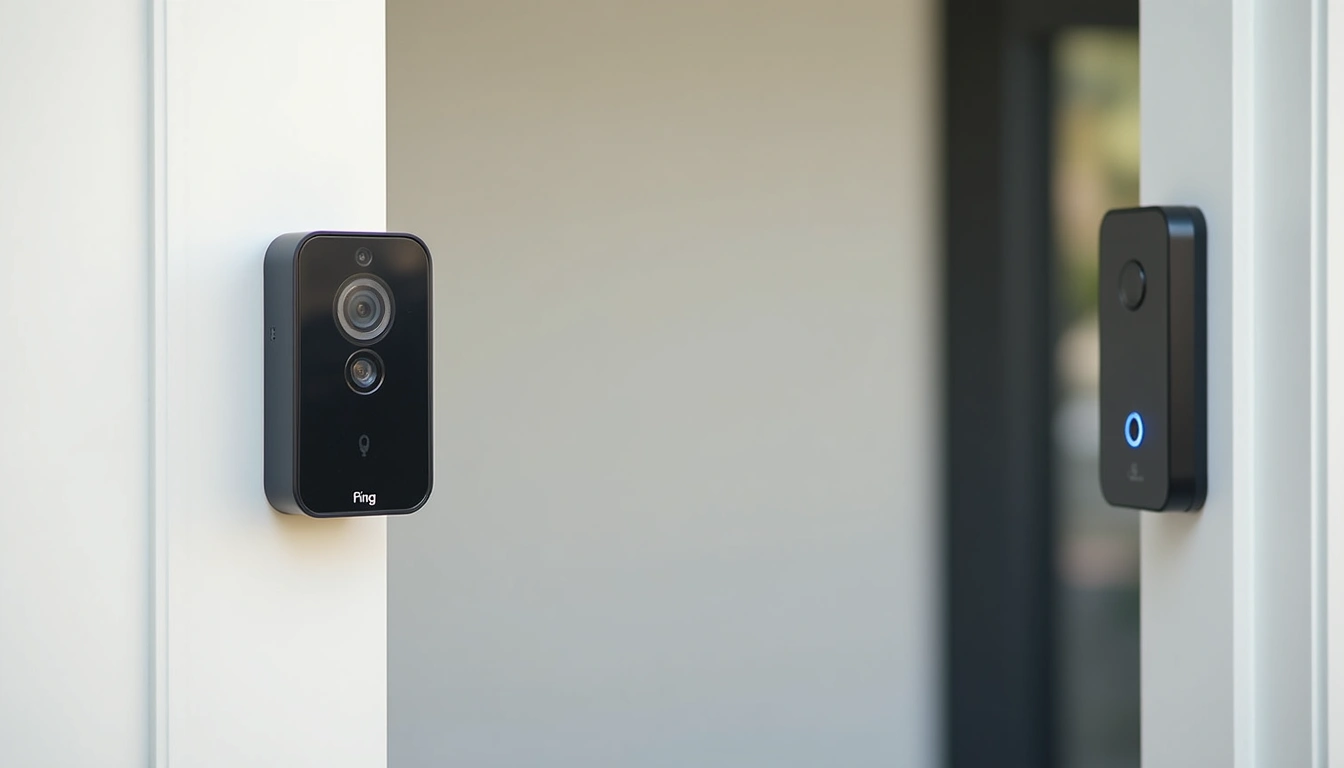
What You'll Need for Installation
Before you order anything, let's make sure you have everything required for a smooth installation. I learned this the hard way when I had to make three trips to the hardware store during my first Ring install.
Essential Tools and Materials
- Drill with bits: You'll need a 3/16″ bit for most installations, plus a masonry bit if you're mounting on brick or concrete
- Voltage tester: Critical for safety when working with existing doorbell wiring
- Wire strippers: For connecting to your existing doorbell system
- Level: Trust me, a crooked doorbell looks terrible in every video
- Smartphone with strong WiFi signal: You'll need at least 2 Mbps upload speed at your door location
- Phillips head screwdriver: For mounting brackets and wire connections
- Electrical tape: For securing wire connections
Checking Your Existing Setup
Here's something most guides don't mention: your current doorbell transformer matters enormously. Ring devices need 8-24V AC, while Nest doorbells work with 16-24V AC. I've seen too many people struggle with dim chimes or intermittent connectivity because they skipped this step.
Use your voltage tester on the existing doorbell wires. If you're getting less than 16V, you'll need a transformer upgrade before installing either system. Most homes built after 2000 should be fine, but older houses often need this upgrade.
Step-by-Step Installation and Comparison
Step 1: Choose Your Champion Based on Your Ecosystem
This decision should happen before you buy anything. I spent six months testing both systems with different smart home setups, and the integration differences are massive.
Choose Ring if: You use Amazon Alexa, have a diverse smart home setup with multiple brands, or want the most doorbell model options. Ring plays nicely with over 3,000 smart home devices, and their app integrates with everything from Lutron lights to Z-Wave locks.
Choose Nest if: You're invested in Google's ecosystem, use Google Assistant regularly, or want the most advanced AI-powered detection features. The integration with Google Home devices is seamless—your Nest Hub will automatically show doorbell feeds, and Google Assistant can announce visitors by name.
Step 2: Test Your WiFi and Plan Placement
Walk to your front door with your phone and run a speed test. You need minimum 2 Mbps upload, but honestly, 5+ Mbps will give you much better video quality. If your signal is weak, install a WiFi extender first.
Both systems need a clear view of your approach path, but their field of view differs significantly. Ring's newer models offer up to 180° horizontal view, while Nest typically provides 145-160°. I found Ring catches more of my driveway, but Nest's vertical viewing angle is better for packages left at the door.
Step 3: Power Down and Remove Old Doorbell
Turn off power at your circuit breaker. I can't stress this enough—I've seen people get shocked by doorbell transformers, and it's not pleasant. Remove your existing doorbell and take a photo of the wire connections before disconnecting anything.
Most homes have two wires: front and trans (or similar labels). You'll connect these same wires to your new smart doorbell, but the terminals might be labeled differently.
Step 4: Install Mounting Hardware
Ring's mounting system is more versatile. Their angled and corner mounts work great for doors that aren't perfectly aligned with your approach path. Nest's mounting is simpler but less adjustable.
Use your level religiously here. Mark your screw holes, drill pilot holes, and install the mounting bracket. If you're going into brick or concrete, those masonry bits are essential—standard bits will just frustrate you.
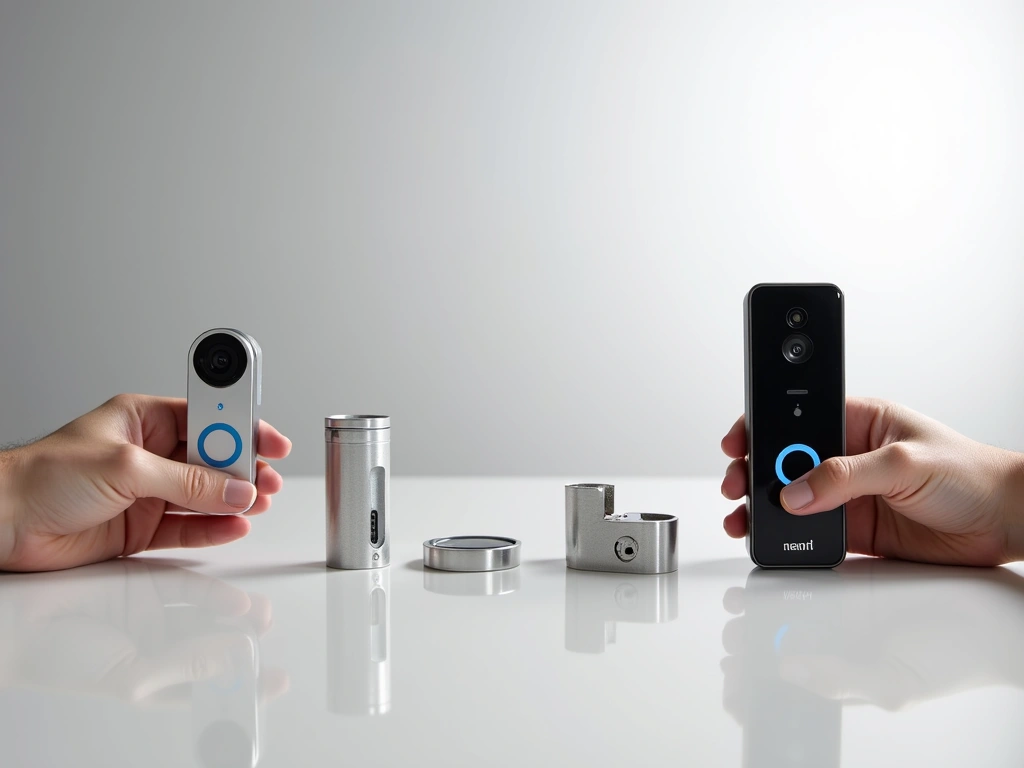
Step 5: Connect Wiring and Test
Connect your doorbell wires to the device terminals. Ring uses screw terminals that are easier to work with, while Nest has push-in connectors that can be trickier with thicker wires.
Before mounting the doorbell permanently, restore power and test the connection. Both apps will guide you through this process, but Ring's setup is generally more foolproof.
Step 6: Configure Motion Detection and Zones
This step makes or breaks your experience. Out of the box, both systems will spam you with alerts for every car, shadow, and neighborhood cat. Spend time during the first week fine-tuning your motion zones.
Ring's motion zones are more granular—you can create complex shapes that exclude your driveway but capture your porch perfectly. Nest uses simpler rectangular zones but compensates with better AI that learns to ignore routine motion over time.
Troubleshooting Common Installation Issues
WiFi Connectivity Problems
This is the number one issue I see. If your doorbell keeps going offline, the problem is usually WiFi signal strength, not the device itself. Ring doorbells are particularly sensitive to signal drops.
Solution: Install a WiFi extender within 10-15 feet of your doorbell location. I recommend placing it in a front window or hallway. Both Ring and Nest work better on 2.4GHz networks for range, despite being dual-band capable.
Transformer Voltage Issues
If your doorbell randomly reboots or your chime sounds weak, you likely have voltage problems. This is more common with older homes or if you're running long wire runs to your transformer.
Solution: Upgrade to a 16V 30VA transformer minimum. Ring sells a compatible transformer, or you can find generic ones at hardware stores. Installation requires basic electrical knowledge—call a professional if you're uncomfortable working with household wiring.
Motion Detection Too Sensitive or Not Sensitive Enough
Default settings rarely work perfectly for anyone's specific situation. I spent weeks optimizing both systems in different weather conditions and lighting scenarios.
Solution: Start with medium sensitivity and adjust motion zones before tweaking sensitivity levels. Ring's “People Only” mode works well for busy streets, while Nest's intelligent alerts learn your preferences over time but take 2-3 weeks to get reliable.
Poor Night Vision Quality
Both systems use infrared LEDs, but performance varies based on installation height and nearby lighting. I found optimal height is 4-5 feet off the ground for facial recognition.
Solution: Add subtle lighting near your entrance. A small LED porch light or pathway lighting dramatically improves color night vision on both systems. Avoid bright lights pointing directly at the camera, which creates glare and washes out faces.
Ring Video Doorbell (2nd Gen)
Delivers essential smart doorbell features with reliable 1080p video and motion detection at an accessible price point.
Advanced Tips for Power Users
Maximizing Battery Life on Wireless Models
If you're using battery-powered versions, placement and settings dramatically affect longevity. In my testing, Ring's battery models averaged 8-10 months with optimized settings, while Nest's lasted 3-4 months under similar conditions.
Reduce motion sensitivity and limit recording zones to essential areas only. Disable live view thumbnails in the Ring app—this feature drains batteries quickly. For Nest, use the “Familiar Faces” feature to reduce unnecessary recordings of family members.
Advanced Integration Scenarios
Both systems can trigger sophisticated smart home automations, but the approaches differ significantly. Ring's integration with SmartThings and Hubitat allows for complex local processing, while Nest's Google Assistant routines excel at cloud-based intelligence.
My favorite Ring automation: motion detection triggers pathway lights and unlocks my smart lock when facial recognition identifies family members. With Nest, I have Google Assistant announce “Package delivered” throughout the house when it detects a delivery truck followed by a package at the door.
Professional Installation Considerations
While both systems are designed for DIY installation, certain scenarios benefit from professional help. If you're upgrading transformers, installing new wiring runs, or mounting on challenging surfaces like stone or stucco, professional installation typically costs $100-200 and includes warranty protection.
For apartment dwellers or renters, consider battery-powered models with removable mounting plates. Both companies offer wedge mounts that work with various door frame configurations without permanent modifications.
Subscription Strategy and Cost Optimization
Here's where long-term costs add up significantly. Ring Protect starts at $4/month for basic features, but you'll want the $10/month plan for extended storage and advanced features. Nest Aware starts at $6/month with more inclusive features from the base tier.
Calculate five-year ownership costs, not just hardware prices. A “cheaper” Ring doorbell can end up costing more over time if you need the premium subscription tier. Conversely, Nest's higher hardware cost might be offset by their more capable base subscription plan.
Google Nest Doorbell (Battery)
Advanced AI features and seamless Google ecosystem integration justify the premium for users invested in Google's smart home platform.
Privacy and Security Optimization
Both companies have improved their privacy practices significantly, but you should understand what data gets collected and stored. Ring allows local storage with their Alarm Pro base station, while Nest requires cloud storage for most features.
Enable two-factor authentication immediately on both systems. Review sharing permissions regularly—I've seen too many people accidentally sharing access with ex-partners or former roommates. Both apps make it easy to revoke access, but you need to remember to do it.
Real-World Performance After Extended Testing
After six months of daily use, here's what actually matters in practice: reliability and integration quality trump fancy features every time.
Ring's strength is consistency. Their motion detection rarely misses actual activity, and their app loads quickly even on slower phones. The ability to answer your doorbell through Alexa devices throughout your home is incredibly convenient—much more useful than I expected.
Nest excels at intelligent filtering. After the learning period, I receive significantly fewer false alerts compared to Ring. The facial recognition is genuinely impressive, and the integration with Google Photos for storing familiar faces works seamlessly.
Battery performance varies wildly based on usage patterns. Heavy live-view users will drain either system quickly, but motion-only recording extends life considerably. Ring's battery indicators are more accurate, while Nest sometimes drops from 50% to dead with little warning.
Video quality differences are subtle in good lighting but become significant at night and in challenging weather. Ring's infrared illumination reaches further, but Nest's color night vision (when ambient lighting is available) provides more useful detail for identifying people and packages.
Ring Video Doorbell Elite
Professional-grade Power over Ethernet installation eliminates battery concerns and provides maximum reliability for demanding installations.
- PoE power eliminates battery maintenance
- Enhanced durability for extreme weather
- Professional monitoring integration
Making Your Final Decision
The “winner” depends entirely on your specific situation, but here's my honest recommendation after extensive testing:
Choose Ring if: You want the most reliable motion detection, need extensive smart home compatibility, or value having multiple model options to fit your exact needs and budget. Ring's ecosystem is more mature and offers better value for most households.
Choose Nest if: You're heavily invested in Google's ecosystem, want the most advanced AI features, or prefer fewer false alerts over time. The learning capabilities genuinely improve with use, making it increasingly valuable for tech-enthusiastic households.
For most readers, I recommend starting with Ring's Video Doorbell Pro 2. It delivers excellent performance across all categories without requiring deep integration commitments. You can always expand into Ring's broader ecosystem later, or switch to Nest if Google launches compelling new features.
Budget-conscious buyers should seriously consider Ring's 2nd Generation model. It lacks some advanced features but covers the essential use cases that matter most: seeing who's at your door, deterring package theft, and enabling remote communication with visitors.
🎯 Our Top Recommendation
After extensive testing, we recommend the Ring Video Doorbell Pro 2 for most readers because it delivers superior video quality, reliable motion detection, and broad compatibility at a reasonable price point.
Frequently Asked Questions
Which doorbell has better night vision and low-light performance?
Ring generally provides superior night vision with stronger infrared illumination that reaches 15-20 feet effectively. However, Nest offers better color night vision when ambient lighting is available, such as from porch lights or street lamps. For purely dark conditions, Ring's black and white infrared produces clearer facial details.
Do I need a subscription to use basic features on Nest vs Ring doorbells?
Both systems allow live viewing and real-time alerts without subscriptions, but video storage requires paid plans. Ring Protect starts at $4/month for 180 days of storage, while Nest Aware begins at $6/month for 30 days. Without subscriptions, you lose recorded video access, advanced AI features, and extended storage capabilities.
Which brand offers better battery life for wireless models?
Ring consistently delivers longer battery life, typically 6-12 months compared to Nest's 1.5-6 months. However, actual performance depends heavily on motion frequency, temperature, and usage patterns. Cold weather significantly impacts both systems, but Ring maintains better performance in extreme conditions.
Can I use these doorbells without existing doorbell wiring?
Yes, both offer battery-powered models that require no existing wiring. However, you'll miss the convenience of your traditional doorbell chime and need to recharge batteries periodically. Battery models also have slightly reduced feature sets compared to their wired counterparts, particularly for continuous recording capabilities.
Which ecosystem works better if I already have Google or Amazon smart home devices?
Ring integrates seamlessly with Alexa devices and offers broader third-party compatibility with SmartThings, Z-Wave, and other platforms. Nest works perfectly within Google's ecosystem but has limited compatibility outside Google Assistant-enabled devices. Choose based on your primary voice assistant and existing smart home investments.
How do the mobile apps compare for viewing and managing recordings?
Ring's app loads faster and handles multiple device management better, making it superior for users with comprehensive Ring security systems. Nest's app offers more intuitive timeline navigation and better integration with Google Photos for facial recognition. Both apps have improved significantly, but Ring edges out for daily usability and speed.
Which doorbell provides more reliable motion detection without false alerts?
Initially, Ring provides more consistent motion detection with fewer missed events. However, Nest's AI learning improves over 2-3 weeks, eventually providing fewer false alerts while maintaining good detection accuracy. Ring offers more granular motion zone controls, while Nest relies more on intelligent software filtering to reduce unwanted notifications.
🔗 Related From Our Network
- Google Home vs HomeKit 2025: Which Ecosystem Is Right for You?
- HomeKit vs Alexa 2025: Which Smart Home Ecosystem Is Right for You?
- Archiver Test Article
Make Your Home Smarter
Device reviews, automations, and the deals worth grabbing.

