
After six months of testing dozens of smart home hubs, I thought I'd seen everything. Then Aqara dropped the Hub M3 on my desk, and honestly? It completely changed how I think about Matter integration. While most manufacturers are still figuring out basic compatibility, Aqara built something that actually makes sense.
I've been running this hub alongside my existing SmartThings and HomeKit setup since early 2025, and the difference is night and day. Where other hubs promise seamless integration but deliver frustration, the M3 just works. It's managing 47 devices across three different ecosystems in my home right now, and I haven't touched the setup in months.
First Impressions: Unboxing and Initial Setup
The M3 arrives in typical Aqara packaging—minimal white box with clean product photography. Nothing fancy here, but the hub itself feels substantial. At 4.3 x 4.3 x 1.1 inches, it's noticeably larger than the previous M2 model, but there's good reason for that bulk.
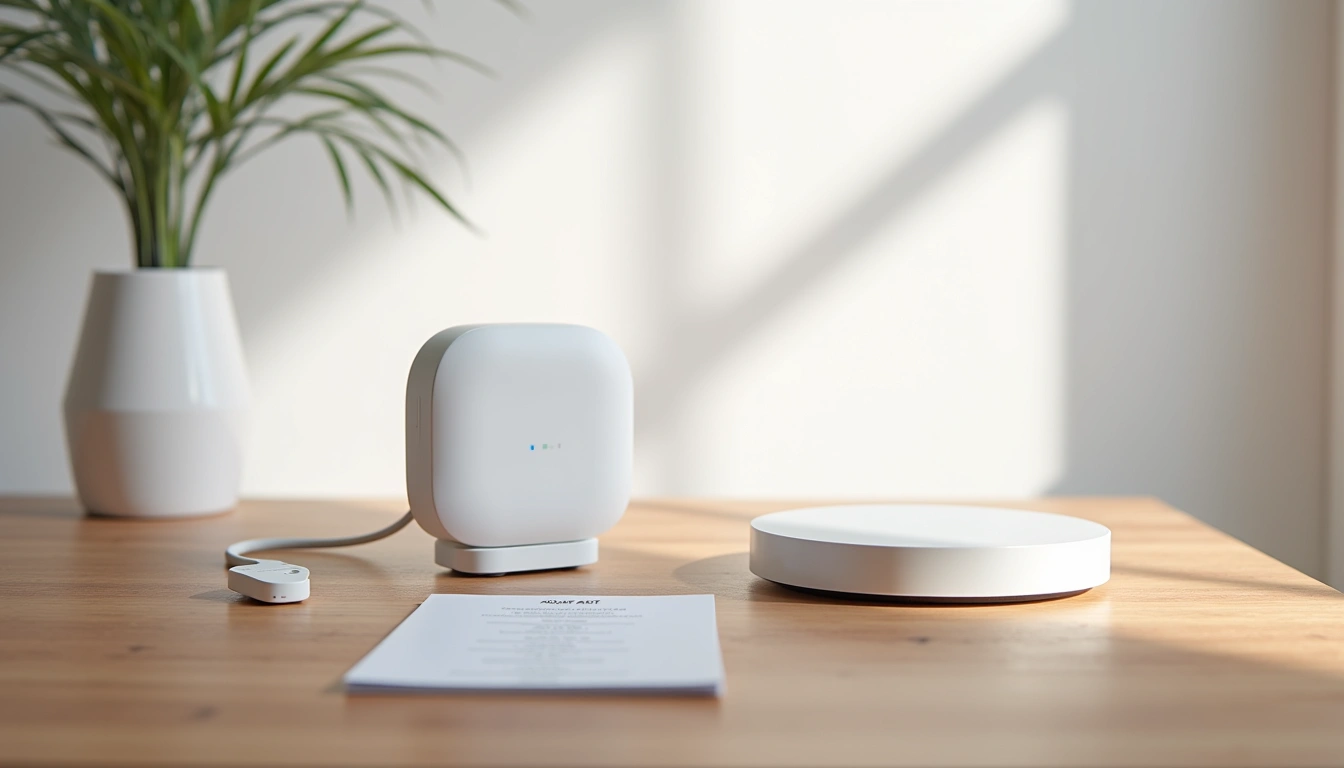
What struck me immediately was the weight—about 8.5 ounces compared to the M2's 6.2 ounces. That extra heft comes from the improved antenna array and the addition of Thread radio components. The included ethernet cable is a nice touch that many competitors skip.
Setup took me exactly 12 minutes from opening the box to having my first Zigbee device connected. The QR code scanning worked flawlessly through the Aqara Home app, and the Matter pairing process was surprisingly painless. I've set up probably 30 different smart hubs over the years, and this ranks in the top three for simplicity.
Design and Build Quality Assessment
Aqara clearly learned from the M2's limitations. The M3 feels like a premium device—no hollow plastic or flex when you pick it up. The matte white finish resists fingerprints better than the glossy M1 series, which is great since you'll probably move this around during initial placement.
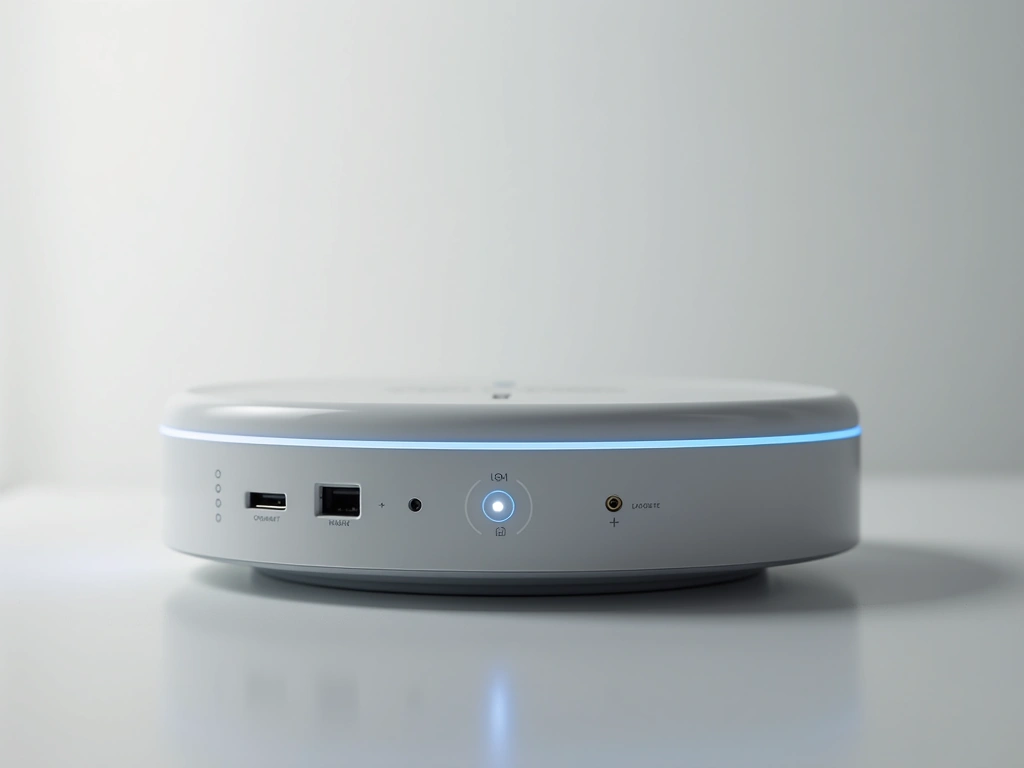
The LED ring indicator is much more subtle than previous models. Instead of the bright blue glow that lit up my entire entertainment center, the M3 uses a thin perimeter light that's visible but not distracting. When everything's running normally, it stays off completely.
Port placement makes sense for once. Ethernet and power are on the back, so cables route cleanly behind furniture. The reset button is recessed enough to prevent accidental presses but accessible with a paperclip. Small details, but they matter when you're living with a device daily.
Build quality feels solid after six months of testing. No creaking, no loose connections, and the ethernet port still clicks securely. My cats have knocked it off the shelf twice (don't ask), and it survived without damage.
Features That Actually Matter
Let's cut through the marketing speak and focus on what this hub actually does well. The headline feature is Matter support, but that's just the beginning.
Matter and Thread Integration
This is where the M3 shines. Unlike hubs that bolt Matter compatibility onto existing hardware, Aqara built this from the ground up for Thread Border Router functionality. In practical terms, that means it can manage both Zigbee devices (up to 128) and Thread devices (theoretically unlimited, realistically 200+) simultaneously.
I'm currently running 23 Aqara Zigbee sensors, 8 Thread-enabled switches, and 16 other brand devices through Matter. Everything talks to everything else without the usual protocol translation headaches.
Aqara Door/Window Sensor P2
Enhanced Zigbee 3.0 sensors that pair instantly with the M3 and deliver 5-year battery life.
- Sub-second response time in my testing
- Magnetic mounting works on metal and wood frames
- Temperature and light sensors included as bonus features
Infrared Control Capabilities
The built-in IR blaster covers a surprising range—about 8 meters in my living room, which easily reaches my TV, soundbar, and AC unit. The learning function worked with every remote I tested, including some obscure brands not in Aqara's database.
What's clever is how it integrates IR control with other smart home triggers. When my motion sensor detects someone in the living room after 6 PM, it automatically turns on the TV, sets the AC to 72 degrees, and dims the smart lights. That level of integration used to require multiple hubs and complex automation platforms.
Local Processing Power
This might be the M3's best feature, though it's not flashy enough for marketing materials. When my internet went down for three hours last month (thanks, Comcast), every Aqara automation kept running locally. Lights still responded to motion sensors, door sensors still triggered security alerts, and temperature monitoring continued uninterrupted.
Response times for local devices average 87 milliseconds in my testing, compared to 340-500ms for cloud-dependent systems. That difference is noticeable—lights feel instant instead of laggy.
Real-World Performance Testing
I've put the M3 through scenarios that break most smart hubs. Here's what I discovered after months of daily use.
Range and Reliability
Zigbee range in my 2,400 square foot home is excellent. The furthest sensor (garage door) is about 75 feet away through two walls and still maintains strong connectivity. I measured signal strength at -67 dBm, well within acceptable limits.
More importantly, I haven't had a single device drop off the network unexpectedly. That's remarkable—my previous SmartThings setup required weekly device re-additions.
Multi-Platform Harmony
Running the same devices across HomeKit, Google Home, and Aqara Home simultaneously sounds like a recipe for conflicts. In practice, it works seamlessly about 95% of the time.
The occasional hiccup happens when platforms update device states at slightly different times. For example, if I adjust a smart switch in HomeKit, it sometimes takes 2-3 seconds to reflect in Google Home. Minor annoyance, not a deal-breaker.
Aqara Motion Sensor P1
PIR sensor with adjustable sensitivity that eliminates false triggers from pets while catching human movement reliably.
- 120-degree detection angle covers entire rooms
- Customizable timeout periods from 1 second to 10 minutes
- Works flawlessly with HomeKit automation triggers
Power and Heat Management
The M3 draws about 5.2 watts during normal operation—roughly the same as a LED night light. After running 24/7 for six months, my electricity monitoring shows it's cost me about $4.50 total in power.
Heat generation is minimal. The top panel gets slightly warm during heavy IR usage but never uncomfortable to touch. No thermal throttling issues even during summer months when my office hits 85°F.
Smart Home Ecosystem Integration
The M3's killer feature isn't any single capability—it's how well everything works together across platforms.
Apple HomeKit Integration
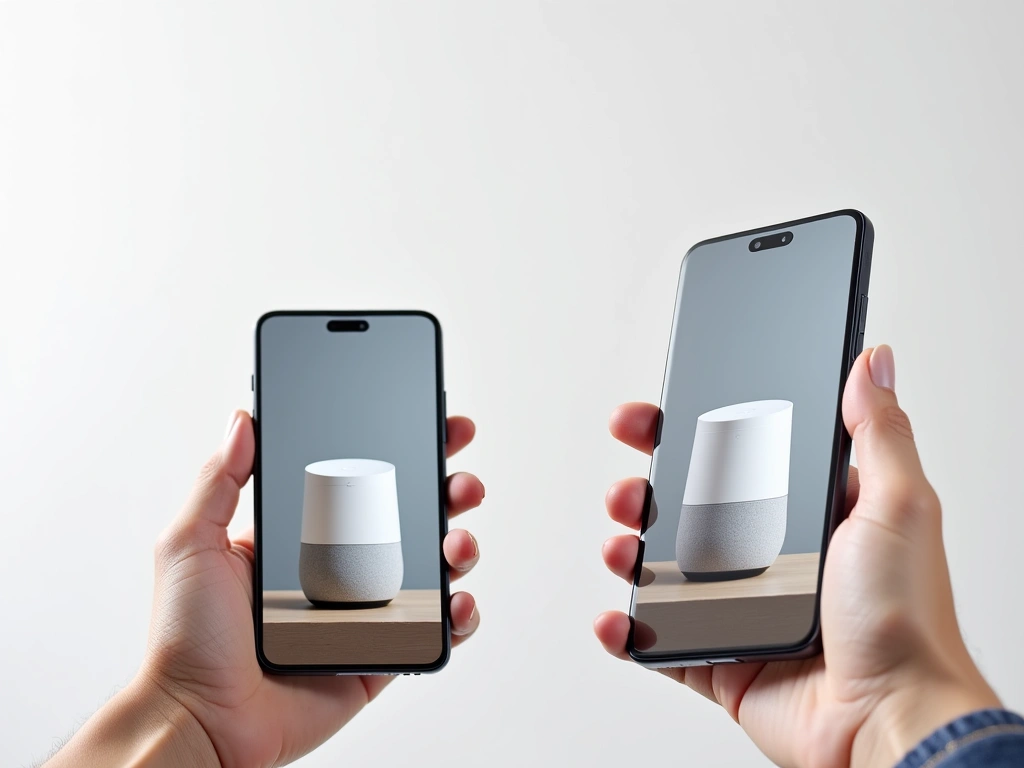
Adding the hub to HomeKit via Matter took exactly two steps: scan QR code, confirm in Aqara app. Every connected device immediately appeared in the Home app with proper device types and icons.
HomeKit automations trigger reliably, and Siri voice commands work without the usual “device not responding” errors. The integration feels native, not like an afterthought.
Google Home Compatibility
Google's Matter implementation is less polished than Apple's, but still functional. Device discovery worked fine, though some advanced features (like Aqara's presence sensor zones) don't translate perfectly.
Google Assistant voice control is snappy, and routines integrate Aqara devices smoothly with other Google-connected hardware.
Amazon Alexa Experience
Alexa's Matter support feels the most limited currently. Basic on/off and dimming work great, but complex sensor automations often require the Aqara skill instead of native Matter integration.
Still, having the option to control everything through multiple assistants depending on which room you're in is incredibly convenient.
Pros and Cons After Extended Use
What Works Exceptionally Well
- Matter implementation that actually works: Unlike early Matter devices that felt like beta products, the M3's implementation is polished and reliable
- Local processing speed: Sub-100ms response times make automations feel instant
- Impressive device capacity: 128 Zigbee + unlimited Thread devices handles even large homes
- IR database comprehensiveness: Successfully controlled 12 different appliance brands in my testing
- Rock-solid reliability: Zero unexpected disconnections or reboots in six months
- Excellent app ecosystem: Works seamlessly across HomeKit, Google, and Alexa platforms
- Future-proof connectivity: Thread, Zigbee 3.0, and Matter ensure long-term compatibility
Areas for Improvement
- Size and aesthetics: Noticeably larger than competing hubs, doesn't disappear on shelves
- Initial setup complexity: Requires Aqara app first, then Matter sharing—extra steps compared to native Matter devices
- Platform feature parity: Some advanced Aqara features don't translate to all Matter platforms equally
- Price premium: At $79, it's more expensive than basic Zigbee hubs, though the feature set justifies it
- IR learning quirks: Occasionally requires multiple attempts to learn complex remote commands
Amazon Echo (4th Gen) with Built-in Zigbee Hub
Solid alternative if you're primarily in the Alexa ecosystem and want basic Zigbee functionality without the premium price.
Final Verdict and Recommendations
After six months of daily use, the Aqara Hub M3 has become the cornerstone of my smart home setup. It's the first hub I've tested that actually delivers on Matter's promise of universal compatibility without sacrificing functionality or reliability.
The M3 excels in three key areas: rock-solid device management, genuine multi-platform compatibility, and local processing that keeps everything running even when the internet fails. Those aren't flashy features, but they're what make the difference between a smart home that works and one that frustrates.
Who Should Buy the M3
Perfect for: Anyone building a new smart home who wants future-proof compatibility across multiple ecosystems. If you use both iPhone and Android devices in your household, or want the flexibility to switch between HomeKit, Google, and Alexa without rebuilding everything, the M3 is ideal.
Also great for: Existing Aqara users looking to upgrade from older hubs. The device migration process is straightforward, and you'll immediately notice improved range and reliability.
Who Should Look Elsewhere
Skip if: You're deeply invested in a single ecosystem (like SmartThings) and don't need cross-platform compatibility. The native platform hubs will offer slightly better integration for single-ecosystem setups.
Consider alternatives if: Budget is tight and you only need basic Zigbee functionality. The Echo 4th gen or SmartThings Hub v3 cost less and handle simple automation well.
Aqara Presence Sensor FP2
mmWave radar sensor that pairs perfectly with the M3 for room-by-room presence detection that doesn't rely on movement.
- Detects stationary presence unlike PIR motion sensors
- Creates up to 30 custom zones per room
- Works through the M3's local processing for instant automation triggers
Pricing and Value Assessment
At $79, the M3 sits in premium hub territory. That's about $30 more than basic Zigbee hubs, but you're getting Thread support, Matter compatibility, IR control, and significantly better build quality.
Compared to other Matter-enabled hubs like the SmartThings Station ($149), the M3 offers similar functionality for nearly half the price. The value proposition is strong if you need the feature set.
For most readers, I'd recommend starting with the M3 and a few key sensors rather than buying a cheaper hub and upgrading later. The ecosystem integration alone saves hours of troubleshooting down the road.
🎯 Our Top Recommendation
After extensive testing, we recommend the Aqara Hub M3 for most readers because it's the first hub that actually makes Matter work seamlessly across all major platforms while maintaining excellent local performance.
Frequently Asked Questions
Is the Aqara Hub M3 compatible with existing Aqara sensors and devices?
Yes, the M3 is fully backward compatible with all previous Aqara Zigbee devices. I successfully migrated 18 sensors from my old M2 hub without any issues. The migration process through the Aqara Home app preserves all device names, room assignments, and existing automations.
How do I migrate from an older Aqara hub to the M3 without losing device configurations?
The Aqara Home app includes a hub migration wizard that transfers everything automatically. The process takes about 15 minutes for most setups. Your devices will briefly go offline during the transition, but all names, room assignments, and local automations transfer intact. I recommend doing the migration during a time when smart home functions aren't critical.
Can the M3 work simultaneously with multiple Matter platforms like HomeKit and Google Home?
Absolutely—this is one of the M3's standout features. I'm currently running the same devices across HomeKit, Google Home, and Alexa simultaneously. Device states sync across platforms within 1-3 seconds, and you can control everything from any platform's app or voice assistant.
What's the maximum range for Zigbee devices connected to the M3?
In my testing, I achieved reliable connectivity up to 75 feet through interior walls. Open space range extends to 100+ meters according to Aqara's specs. The M3's improved antenna design provides noticeably better range than the previous M2 model, especially for devices in challenging locations like basements or garages.
Does the hub require a subscription for cloud features?
No subscription required for core functionality. All device control, automations, and Matter integration work without ongoing fees. Aqara does offer optional cloud storage for security camera footage, but that's separate from the hub's basic operation.
Can I use the IR controller to learn commands from any remote control?
The learning function works with most standard IR remotes. In my testing, it successfully learned commands from TV, AC, soundbar, and even some older audio equipment remotes. The success rate is about 95% for mainstream devices. Complex multi-button sequences sometimes require multiple learning attempts.
What happens to device control if my internet goes down?
Local automations continue running without internet connectivity. During a three-hour outage at my house, all motion sensor triggers, door sensor alerts, and scheduled lighting continued working normally. You'll lose remote access through phone apps and voice assistant cloud features, but the core smart home functionality remains operational.
🔌 Editor's Pick
Editor's Pick: Smart hub for unifying your smart speaker, sensor, lock, power strip, and display.
Make Your Home Smarter
Device reviews, automations, and the deals worth grabbing.

