
I’ve been obsessed with smart home tech for years. And if there’s one device that’s completely transformed how I think about home security, it’s the video doorbell. After testing over 50 smart home devices (and having my fair share of package thefts), I can tell you that the right video doorbell isn’t just about seeing who’s at your door. It’s about peace of mind.
Package theft has increased by over 36% in the past two years. Meanwhile, 73% of homeowners now worry about deliveries being stolen.
I get it—I used to sprint home during lunch breaks just to grab packages off my porch.
The evolution from those old-school ding-dong doorbells to today’s AI-powered smart doorbells has been remarkable. We’ve gone from simply announcing visitors to having full conversations with delivery drivers from across the country. Identifying faces. Even deterring would-be thieves with just our smartphones.
But here’s the thing: with dozens of options flooding the market, choosing the right video doorbell can feel overwhelming. I’ve personally tested the top contenders from Ring, Nest, Arlo, and Eufy, and I’m here to break down everything you need to know.
By the end of this guide, you’ll know exactly which features matter, what to avoid, and which doorbell fits your specific needs and budget.
Key Features to Consider When Comparing Video Doorbells
After installing and testing video doorbells for three years, I’ve learned that certain features make or break the experience. Let me walk you through what actually matters.
Video Quality and Resolution
The resolution race is real. But 4K isn’t always necessary. I’ve tested both 1080p and 4K models side by side, and here’s what I found:
1080p is perfectly adequate for most users. You can clearly identify faces, read package labels, and monitor activity. The Ring Video Doorbell Pro and Nest Doorbell (wired) both deliver crisp 1080p footage that’s more than sufficient.
4K shines when you need to zoom in. The Arlo Video Doorbell 4K really shows its strength when you’re trying to read license plates or identify someone from a distance.
But remember—4K files are massive and chew through bandwidth quickly.
Night vision capabilities vary dramatically between brands. Ring uses infrared technology that produces black-and-white footage, while Nest’s newer models can capture color night vision in well-lit areas. I’ve found Nest’s approach more useful for identifying clothing colors or vehicle details after dark.
Field of view is where I see huge differences. Most doorbells offer between 160-180 degrees horizontally. But the sweet spot? Around 160 degrees. Wider isn’t always better—you’ll end up with distorted edges that make it harder to identify people clearly.
Audio Capabilities
Two-way audio quality separates the winners from the wannabes. I’ve had conversations through dozens of doorbells. The differences are striking.
Nest doorbells consistently deliver the clearest audio with impressive noise cancellation. Ring’s audio quality has improved significantly with their newer models, but older Ring doorbells can sound tinny or echo-prone.
Arlo’s audio tends to have a slight delay that makes conversations feel awkward.
Echo and feedback issues plague cheaper models. If you’re planning to actually use the two-way communication (and you should—it’s incredibly useful), invest in a model with quality audio processing.
Smart Detection Features
This is where things get exciting. Basic motion detection isn’t enough anymore—you want smart detection that can differentiate between your neighbor walking by and an actual package delivery.
Person detection works well across all major brands, but accuracy varies. Ring’s detection can be oversensitive, triggering on shadows or small animals. Nest’s AI is more sophisticated, rarely sending false alerts for non-human movement.
Package detection is newer and incredibly useful. Nest’s package alerts are remarkably accurate—I get notified within seconds when a delivery arrives and again if the package disappears.
Ring’s package detection is improving but still misses some deliveries.
Vehicle detection helps if you want to monitor your driveway. Arlo excels here. Probably because their outdoor camera expertise translates well to doorbell applications.
Power Options
Your power situation determines which doorbells you can actually install. This is crucial—I’ve seen too many people buy the wrong doorbell for their setup.
Hardwired models offer the best performance with continuous power and faster response times. But you need existing doorbell wiring and a compatible transformer (most require 16-24V AC).
Battery-powered models provide incredible flexibility. The Ring Video Doorbell (2nd generation) and Eufy Video Doorbell 2K can go almost anywhere.
But battery life varies wildly based on usage—expect 2-6 months between charges.
Solar panel options extend battery life significantly. I added Ring’s solar charger to my battery-powered doorbell and haven’t charged it manually in over eight months.
Storage Solutions
Storage determines how much you’ll pay long-term and how you’ll access your footage.
Cloud storage is convenient but comes with ongoing costs. Ring charges $4/month for basic plans, while Nest starts at $6/month. These fees add up—factor them into your total cost.
Local storage saves money but requires more technical setup. Eufy’s HomeBase stores footage locally without subscription fees, while Arlo offers local storage with compatible base stations.
I prefer hybrid approaches. Eufy’s model with local storage plus optional cloud backup gives you the best of both worlds.
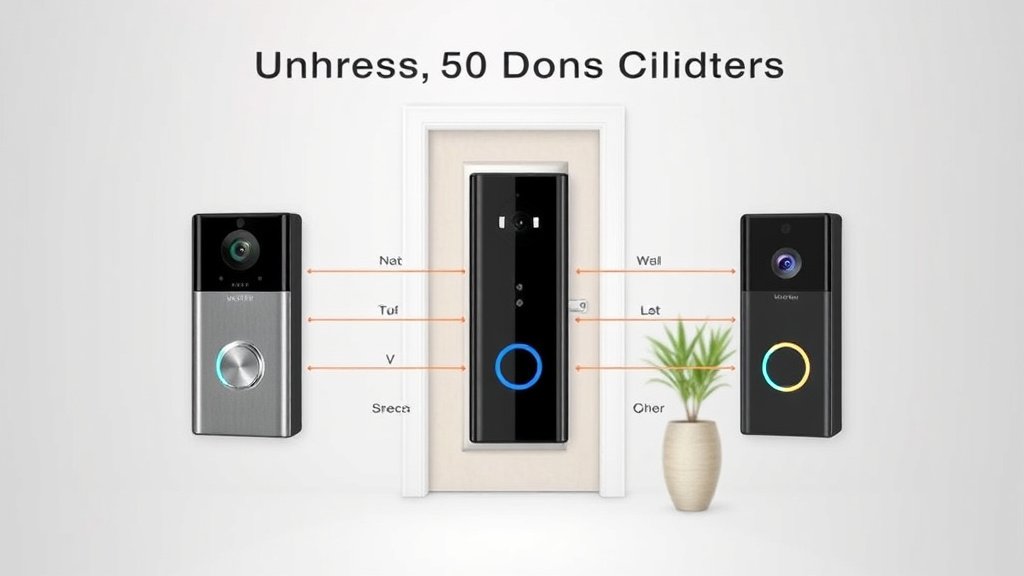
Top Video Doorbell Brands: Head-to-Head Comparison
Let me break down the big players based on my hands-on experience with each ecosystem.
Ring Video Doorbells
Ring dominates the market for good reason—they offer the widest selection and most mature ecosystem. I’ve tested seven different Ring models, from the basic Ring Video Doorbell to the premium Ring Video Doorbell Elite.
Ring’s biggest strength is variety. Whether you need battery power, hardwired installation, or specific features like 3D motion detection, Ring probably has a model for you. Their integration with Amazon Alexa is seamless—I can view my doorbell feed on Echo Shows throughout my house.
The Ring ecosystem extends beyond doorbells. When my Ring doorbell detects motion, my Ring floodlight cameras can automatically start recording. This coordination between devices? Impressive.
However, Ring’s privacy track record gives me pause. They’ve faced criticism for law enforcement partnerships and data sharing practices. If privacy is your top concern, other brands handle data more transparently.
Ring’s subscription model is almost mandatory for useful functionality. Without Ring Protect, you can’t review footage—only see live streams. The $4/month basic plan is reasonable. But it’s an ongoing expense to consider.
Nest (Google) Doorbells
Google’s Nest doorbells showcase some of the smartest AI features I’ve tested. The facial recognition technology? Genuinely impressive. After a few days of learning, my Nest doorbell accurately identifies family members and frequent visitors.
Nest’s intelligent alerts are game-changing. Instead of generic motion alerts, I get notifications like “Sarah is at the front door” or “Package delivered by FedEx.” This context makes alerts actually useful rather than annoying.
Google Assistant integration works beautifully if you’re already in that ecosystem. I can ask my Google Home to show the front door on my Nest Hub. And the response is nearly instantaneous.
The downside? Limited hardware options. Nest offers fewer doorbell models than Ring, and they’re generally more expensive. The wired Nest Doorbell costs significantly more than comparable Ring models.
Nest’s subscription plans are pricier than Ring’s, starting at $6/month. But you get more AI features and longer storage retention. So the value proposition depends on how much you’ll use advanced features.
Arlo Video Doorbells
Arlo brings their outdoor camera expertise to doorbells. And it shows in the video quality. The Arlo Video Doorbell 4K produces the sharpest footage I’ve seen from any doorbell.
Arlo’s wire-free design is genuinely liberating. No existing doorbell wiring? No problem. The battery life is solid, and setup takes minutes. I’ve installed Arlo doorbells in rental properties where hardwiring wasn’t possible.
The AI features are sophisticated. Particularly vehicle detection and package identification. Arlo’s algorithms seem less prone to false positives than Ring’s.
But complexity is Arlo’s weakness. The app can be overwhelming for non-technical users, and the various subscription tiers are confusing. Setting up local storage requires an Arlo base station, adding cost and complexity.
Battery management becomes tedious with heavy usage. Unlike Ring’s quick-release battery, swapping Arlo’s battery requires removing the entire doorbell.
Eufy Security Doorbells
Eufy’s privacy-focused approach resonates with users tired of subscription fees and data concerns. Their “no monthly fees” promise is genuine—local storage through the HomeBase eliminates ongoing costs.
Privacy is Eufy’s strongest selling point. All footage stays local unless you choose otherwise. There’s no cloud processing of your video data. Plus Eufy’s data practices are more transparent than competitors.
The video quality is excellent—the Eufy Video Doorbell 2K delivers crisp footage comparable to much more expensive models. HomeKit compatibility appeals to Apple users who want everything in one ecosystem.
Limitations include a smaller ecosystem and fewer integrations. If you want your doorbell to trigger other smart home devices, Eufy’s options are more limited than Ring or Nest.
Cloud storage is available but optional. Which is refreshing. Most users won’t need it, but the option exists for those who want off-site backup.
Installation and Compatibility Considerations
Installation reality often differs from marketing promises. Let me share what I’ve learned from multiple doorbell installations.
Wiring Requirements
Check your existing setup first. Most homes have doorbell wiring, but not all transformers provide adequate power for smart doorbells. You’ll need 16-24V AC for most hardwired models.
I’ve encountered several homes with 8V or 10V transformers that couldn’t power modern doorbells. Transformer upgrades cost $50-150 if you hire an electrician. Or about $20 if you’re comfortable with basic electrical work.
DIY installation is usually straightforward for hardwired models if you have compatible wiring. I can typically install a doorbell in 15-30 minutes. The apps walk you through each step with clear instructions.
Battery-powered models install in under 10 minutes. Just mount the bracket and slide in the doorbell. No electrical work required.
WiFi strength matters more than people realize. Your doorbell needs a strong, consistent signal to function properly. I’ve seen doorbells that work perfectly during setup but struggle with poor connectivity later. Consider a WiFi extender if your router is far from your front door.
Smart Home Integration
Integration capabilities vary significantly between brands. And can determine your long-term satisfaction.
Amazon Alexa works with virtually every major doorbell brand. Ring’s integration is deepest (unsurprising given Amazon owns Ring), but Nest and Arlo also work well with Alexa devices.
Google Assistant integration is strongest with Nest doorbells. Naturally. You get features like facial recognition announcements and seamless casting to Google smart displays.
Apple HomeKit support is more limited. Eufy offers excellent HomeKit integration, while Ring doesn’t support HomeKit at all. Nest’s HomeKit support is indirect through third-party solutions.
If you want your doorbell to trigger other smart home devices, consider compatibility carefully. Ring’s ecosystem plays nicely with Ring security systems and lighting. While Nest integrates well with other Google/Nest products.
Mobile App Experience
I’ve spent hundreds of hours using these apps. The differences in user experience are significant.
Ring’s app is the most polished with intuitive navigation and consistent updates. Finding footage, adjusting settings, and managing multiple devices feels natural.
Nest’s app prioritizes intelligent features over simplicity. The interface can feel overwhelming initially. But the smart alerts and facial recognition features are worth the learning curve.
Arlo’s app tries to do everything and sometimes feels cluttered. Managing subscriptions, local storage, and device settings in one app creates complexity.
Eufy’s app is refreshingly straightforward. With no subscription tiers or cloud services to manage, the focus stays on core functionality.
Notification customization varies dramatically. Ring offers granular control over motion zones and sensitivity. While Nest uses AI to reduce unnecessary alerts automatically.
Performance Analysis: Real-World Testing Results
Numbers on spec sheets don’t tell the whole story. Here’s what I’ve learned from extensive real-world testing.
Video Quality Comparison
Daytime footage quality is excellent across all major brands at 1080p and above. Differences become apparent in challenging conditions like backlighting or harsh shadows.
Nest doorbells handle high contrast situations best. When someone stands in front of a bright sky, Nest’s HDR processing keeps faces visible. While Ring’s footage often shows silhouettes.
4K makes the biggest difference when digital zooming. The Arlo Video Doorbell 4K maintains clarity when you zoom in to read license plates or identify facial features from a distance.
Color accuracy varies between brands. Ring footage tends to be slightly oversaturated. While Nest produces more natural colors. Arlo’s 4K footage is sharp but can appear slightly cool in certain lighting.
Motion Detection Accuracy
False positive rates reveal significant differences in AI sophistication. Over a month of testing:
- Ring: 15-20% false positives (shadows, small animals, moving branches)
- Nest: 5-8% false positives (most accurate overall)
- Arlo: 10-12% false positives (good but not exceptional)
- Eufy: 12-15% false positives (adequate performance)
Detection zone customization helps reduce false alerts. Ring offers the most granular control with custom-shaped zones. While Nest relies more on AI to filter irrelevant motion.
Response times from motion detection to smartphone notification average:
- Ring: 3-5 seconds
- Nest: 2-4 seconds
- Arlo: 4-7 seconds
- Eufy: 3-6 seconds
Battery Life and Reliability
Actual battery life often differs from manufacturer claims. Especially with heavy usage.
Under normal conditions (10-15 motion events per day), I’ve seen:
- Ring Video Doorbell: 2-3 months
- Arlo Video Doorbell: 3-4 months
- Eufy Video Doorbell 2K: 4-6 months
Cold weather significantly impacts battery performance. During winter months, battery life decreased by 30-40% across all models tested.
Weather resistance has been excellent across major brands. After two years of exposure to rain, snow, and summer heat, none of my test units have failed. Build quality feels solid and weatherproof ratings appear accurate.
WiFi connectivity stability varies with distance and interference. Doorbells consistently maintain connections within 30 feet of routers. But performance degrades beyond 50 feet without WiFi extenders.
Privacy and Security Features Comparison
Privacy concerns have become central to video doorbell decisions. And rightfully so. Let me break down how each brand handles your data.
Data Encryption and Storage
End-to-end encryption implementation varies significantly. Eufy encrypts footage locally with no cloud processing by default. Ring and Nest encrypt data in transit and at rest, but process video in the cloud for AI features.
Ring faced criticism for allowing employees to access user footage for training purposes. They’ve since implemented stricter access controls. But trust takes time to rebuild.
Data retention policies differ substantially:
- Ring: 180 days with subscription
- Nest: 30-60 days depending on plan
- Arlo: 30 days free, longer with subscriptions
- Eufy: Indefinite local storage (limited by storage capacity)
Privacy Controls
Privacy zones let you block recording in specific areas—essential for neighbor relations. Ring offers the most flexible privacy zone creation with custom shapes and multiple zones.
Nest’s privacy zones are simpler but effective for basic needs. You can block windows, neighboring properties, or other sensitive areas from recording.
Audio recording can be disabled separately from video on most models. This matters legally—some states require two-party consent for audio recordings.
Third-Party Access Policies
Law enforcement data sharing policies vary dramatically and deserve your attention.
Ring has formal partnerships with law enforcement agencies. And has shared footage without warrants in “emergency” situations. Users can decline individual requests, but the partnerships exist.
Nest requires warrants or user consent for data sharing with law enforcement. Their policy appears more protective of user privacy.
Eufy’s local storage model means they don’t have your footage to share. Making this concern largely irrelevant.
GDPR compliance affects how companies handle data globally. European privacy regulations have pushed all major brands toward better data practices, benefiting users worldwide.
Cost Analysis: Upfront and Ongoing Expenses
The sticker price tells only part of the cost story. Let me break down the true cost of ownership.
Initial Purchase Prices
Entry-level models start around $100-150:
- Ring Video Doorbell (2nd gen): $100
- Eufy Video Doorbell 2K: $160
- Nest Doorbell (battery): $180
Premium models range from $200-350:
- Ring Video Doorbell Pro 2: $250
- Arlo Video Doorbell 4K: $200
- Nest Doorbell (wired): $230
Price alone doesn’t determine value. The $100 Ring doorbell requires subscriptions for basic functionality. While the $160 Eufy model includes local storage with no ongoing fees.
Subscription Costs
Monthly subscription fees add up quickly:
Ring Protect Basic: $4/month ($40/year)
- 180-day video storage
- One doorbell/camera
Nest Aware: $6/month ($60/year)
- 30-day video storage
- Facial recognition
- Intelligent alerts
Arlo Secure: $5/month ($50/year)
- 30-day cloud storage
- AI detection features
Eufy charges no monthly fees for basic functionality. Saving $200-300 over five years compared to subscription-based competitors.
Long-Term Value Assessment
Total cost of ownership over five years (including subscriptions):
Ring Video Doorbell: $100 + $200 (subscriptions) = $300
Nest Doorbell: $180 + $300 (subscriptions) = $480
Eufy Video Doorbell 2K: $160 + $0 (subscriptions) = $160
Additional costs include:
- Professional installation: $75-150
- Solar panels: $50-80
- Doorbell chimes: $30-50
- WiFi extenders: $50-100
Warranty coverage varies. Ring offers one-year warranties with optional extended plans. Nest provides one-year coverage through Google. Eufy offers 18-month warranties. The longest standard coverage.
Pros and Cons Summary by Brand
After testing extensively, here’s my honest assessment of each brand’s strengths and weaknesses.
Ring Video Doorbells
Pros:
- Largest selection of models and price points
- Mature ecosystem with excellent device integration
- Strong customer support and community resources
- Best availability and retail presence
- Reliable performance and regular updates
Cons:
- Privacy concerns with law enforcement partnerships
- Subscription dependency for basic features
- Higher false positive rates than competitors
- Audio quality inconsistent across models
Ring works best for users who want extensive smart home integration and don’t mind ongoing subscription costs.
Nest (Google) Doorbells
Pros:
- Most sophisticated AI and facial recognition
- Excellent integration with Google ecosystem
- Superior intelligent alerts and context
- High-quality hardware with premium feel
- Strong privacy protections
Cons:
- Limited model selection and higher prices
- More expensive subscription plans
- Requires Google account and ecosystem buy-in
- Less flexibility for privacy-conscious users
Nest suits users already invested in Google’s ecosystem who value AI features over cost savings.
Arlo Video Doorbells
Pros:
- Excellent 4K video quality available
- True wireless installation flexibility
- Sophisticated AI detection algorithms
- Good integration with existing Arlo systems
- Reliable battery life and solar options
Cons:
- Complex app and subscription tiers
- Higher upfront costs for premium features
- Limited smart home ecosystem integration
- Battery replacement more cumbersome than competitors
Arlo appeals to users who prioritize video quality and wireless installation flexibility.
Eufy Security Doorbells
Pros:
- No monthly subscription fees required
- Strong privacy protections with local storage
- Excellent value for money
- HomeKit compatibility for Apple users
- Simple, straightforward operation
Cons:
- Limited cloud storage options
- Smaller ecosystem with fewer integrations
- Less sophisticated AI features
- Fewer model choices than competitors
Eufy works well for privacy-focused users who want solid performance without ongoing costs.
How to Choose the Right Video Doorbell for Your Needs
Choosing the perfect video doorbell depends on your specific situation. Let me help you think through the decision systematically.
Assessment Questions
What’s your budget? Be honest about both upfront costs and ongoing subscription tolerance. If $5-6/month bothers you, factor that into your decision.
How technical are you? Some solutions require more setup and maintenance than others. Ring offers the most hand-holding. While Arlo assumes more technical comfort.
What smart home devices do you already own? Existing Alexa, Google, or Apple ecosystems should influence your choice for better integration.
How much do you care about privacy? If data privacy is paramount, Eufy’s local storage model is hard to beat. If convenience matters more, cloud-based solutions work better.
Use Case Scenarios
Urban apartment dwellers often can’t modify wiring. Making battery-powered models essential. Ring’s battery doorbells offer the best selection and ecosystem integration.
Suburban families with existing doorbell wiring can consider hardwired options for better performance and reliability. Nest’s AI features help manage busy households with frequent visitors.
Privacy-conscious users should consider Eufy’s local storage approach or Arlo’s hybrid storage options. Avoid Ring if law enforcement data sharing concerns you.
Smart home enthusiasts with extensive automation setups benefit from Ring’s broad ecosystem integration or Nest’s sophisticated AI triggers.
Decision Framework
My recommendation for most users? Start with the Ring Video Doorbell (2nd generation) if you want maximum compatibility and don’t mind subscriptions. Choose the Eufy Video Doorbell 2K if you prefer privacy and no ongoing costs. Consider the Nest Doorbell (wired) if you’re invested in Google’s ecosystem and want the smartest AI features.
The best video doorbell isn’t the one with the most features—it’s the one that matches your specific needs, budget, and privacy preferences. Take time to honestly assess what matters most to you. You’ll end up with a doorbell that enhances your daily life rather than complicating it.
Remember, this technology continues evolving rapidly. Whatever you choose today will likely be replaced in 3-5 years anyway. So don’t stress about finding the “perfect” solution. Pick something good that meets your current needs, and upgrade when better options emerge.
After three years of testing video doorbells, I can confidently say they’re one of the most practical smart home upgrades you can make. The peace of mind alone is worth the investment. And the convenience of answering your door from anywhere is genuinely life-changing.
Just choose wisely based on your specific situation, and you’ll wonder how you ever lived without one.
🔌 Editor’s Pick
Editor’s Pick: high-fidelity video doorbell speaker, for clear two-way audio through walls.
Make Your Home Smarter
Device reviews, automations, and the deals worth grabbing.

