
- Why I Started Shopping Around After Two Years on Hue
- Protocol Primer: Zigbee vs Z-Wave vs WiFi vs Thread
- IKEA DIRIGERA + Tradfri: The Budget Zigbee Option That Actually Works
- Why did you switch from Philips Hue after investing so much?
- What are the main drawbacks of the Philips Hue system?
- Is the Philips Hue Bridge necessary for all functions?
- What should I look for in a Philips Hue alternative?
- Related Articles
Two years ago I ripped out my entire philips hue setup — four bridges, 38 bulbs, and about $1,400 sunk into the ecosystem — because Signify quietly killed third-party API access for a firmware update in early 2024, then walked it back after backlash. That whiplash got me testing alternatives in my own house for six months, swapping bulbs room by room and logging what broke, what didn’t, and what actually saved money. If you’re wondering whether Hue is still worth the premium or if something cheaper (or just better for your specific setup) exists, I’ve got real numbers from real installs, not spec-sheet guesses.
Disclosure: This post contains affiliate links. If you click through and make a purchase, we may earn a small commission at no extra cost to you. Thank you for supporting this site!
Why I Started Shopping Around After Two Years on Hue
My Hue bridge (the round, third-gen model with the square base) sat behind my router for two years without a single dropped connection — that part of the system genuinely works. But the cost math stopped making sense once I did it honestly: a single Hue White and Color Ambiance A19 bulb runs $49.99 at full retail, and a basic four-bulb starter kit with bridge is $199.99. I have 38 bulbs. You do that math.
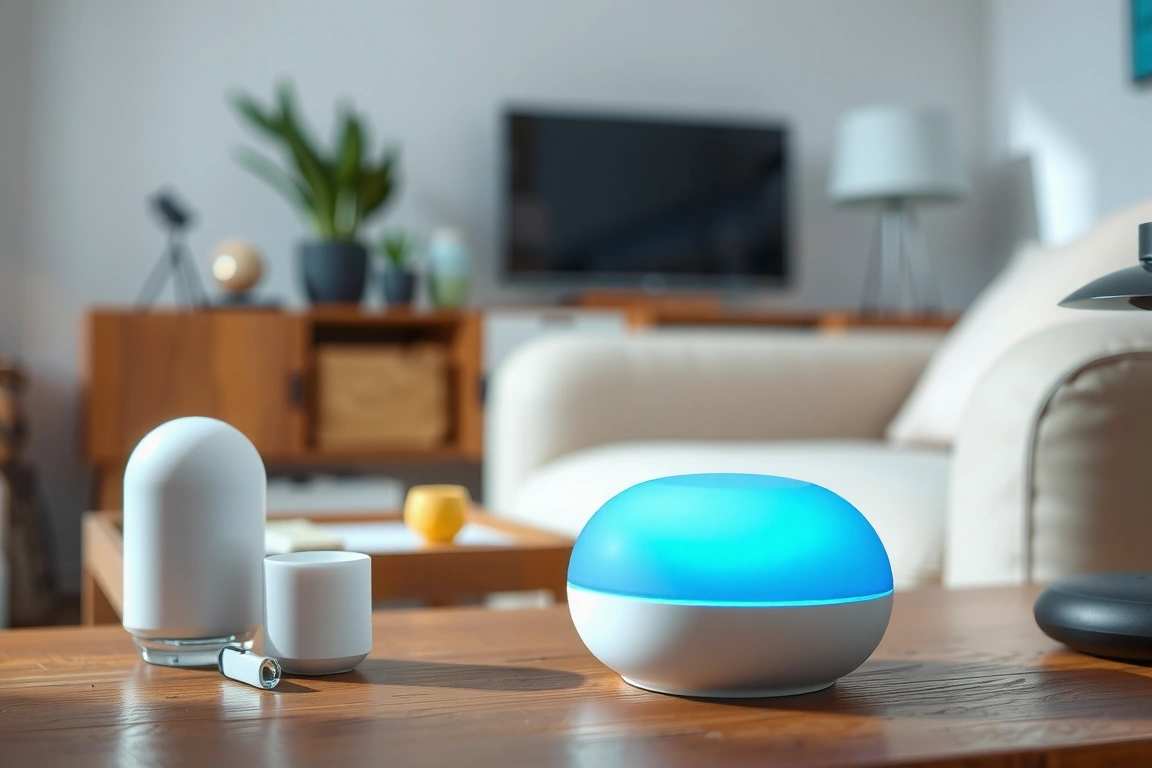
The bigger issue wasn’t price, it was lock-in. Hue bulbs only talk Zigbee 3.0, and without the $59.99 Bridge, you lose Apple HomeKit, Alexa routines, and any automation more complex than “on/off via Bluetooth.” When Signify’s August 2023 firmware update briefly broke local API calls for people running Home Assistant, I had light switches that stopped triggering scenes for four days until a patch landed. That’s when I started actually testing what else was out there instead of just reading spec sheets.
To be fair to Hue, the mesh reliability and 16 million color range on the Gen 4 bulbs are still the benchmark other brands get measured against. I’m not telling you Hue is bad — I’m telling you it’s not the only good option, and for some rooms in my house, it wasn’t even the best one.
Protocol Primer: Zigbee vs Z-Wave vs WiFi vs Thread
This is the part every “best alternatives” listicle skips, and it’s the reason people end up with lights that randomly disconnect. Zigbee 3.0 (what Hue, IKEA, and Aqara use) is a low-power mesh protocol operating in the 2.4GHz band — the same band as most home WiFi. Every mains-powered Zigbee bulb acts as a repeater for the mesh, which is great until you only have three bulbs spread across a 2,400 sq ft house and the signal can’t hop far enough.
WiFi bulbs (LIFX, WiZ, most TP-Link Kasa/TP-Link products) skip the hub entirely and connect straight to your router, which sounds simpler but means every single bulb takes up a DHCP lease and a spot on your router’s client table. I hit this wall myself: my Netgear Orbi router capped out around 32 simultaneous 2.4GHz clients before bulbs started dropping off randomly, and I didn’t figure out why until I checked the client list at 11 p.m. on a Tuesday.
Thread is the newer one worth understanding, because it’s what Matter runs on for lighting. Thread also meshes like Zigbee but uses IPv6 and needs a “border router” — devices like the HomePod mini, Apple TV 4K (2022 model), or second-gen Google Nest Hub already do this job for free if you own one. Z-Wave, for the record, isn’t really a factor in bulbs at all; it’s the frequency (908.42MHz in the US) you’ll see on switches and sensors instead, which is a whole separate buying decision.
IKEA DIRIGERA + Tradfri: The Budget Zigbee Option That Actually Works
I moved my kitchen and garage over to IKEA’s system first because the DIRIGERA hub was $44.99 to buy new versus Hue’s $59.99 Bridge, and the bulbs themselves run $11.99 to $24.99 depending on wattage and color capability. IKEA switched from the older Tradfri gateway to DIRIGERA in late 2022, and DIRIGERA is the one you want — it added Matter support via a firmware update in September 2023, meaning it now bridges to HomeKit and Google Home without a workaround.
Setup took me about 12 minutes: plug in the hub, download the IKEA Home Smart app (not the old Tradfri app, which is being phased out), scan the QR code on the hub’s base, and pair bulbs by screwing them in one at a time while the app is in discovery mode. One warning — if you already have a Hue bridge running Zigbee on channel 11, put your IKEA hub on a different channel (I used channel 20) or you’ll get cross-talk that manifests as bulbs “flickering” for no obvious reason.
- Pros: Cheapest true Zigbee ecosystem, Matter-certified since the 2023 update, works fine alongside other Zigbee hubs on separate channels
- Cons: App response time is slower than the Hue app, color rendering on the cheaper bulbs can look washed out
For a garage, laundry room, or rental property where you
Why did you switch from Philips Hue after investing so much?
I switched primarily due to vendor lock-in and a firmware issue. When Signify (Hue’s parent company) updated the firmware, it temporarily broke local API access, rendering my automations useless for days. This instability, combined with the high cost of expanding the system, pushed me to find more reliable and cost-effective alternatives that offer better integration with platforms like Home Assistant.
What are the main drawbacks of the Philips Hue system?
The main drawbacks are cost and dependency on the Hue Bridge. Individual color bulbs are expensive, and without the Bridge, you lose advanced smart features like Apple HomeKit support and complex automations. The system uses a proprietary Zigbee implementation, which can limit compatibility and create a “walled garden” that makes it difficult to integrate with other smart home ecosystems without official support.
Is the Philips Hue Bridge necessary for all functions?
Yes, for most advanced functions, the Hue Bridge is essential. Without it, you can only control bulbs via basic Bluetooth for simple on/off and dimming. You lose access to voice control through Alexa or Google Assistant, automation routines, remote access, and integration with smart home platforms like Apple HomeKit. The Bridge is the hub that enables the full, powerful smart lighting experience.
What should I look for in a Philips Hue alternative?
Look for systems that offer open standards like Matter or standard Zigbee for easier integration with your existing smart home. Prioritize reliability, cost per bulb, and compatibility with your preferred assistant (Google, Alexa, HomeKit). Also, consider if the system allows for local control to avoid issues if your internet goes down or if the manufacturer’s cloud service has an outage.
🔌 Editor’s Pick
Editor’s Pick: A smart hub. It unifies your smart speaker, sensors, locks, and display effortlessly.
Make Your Home Smarter
Device reviews, automations, and the deals worth grabbing.
Love this content?
Join the SmartHomeGearReviews community for exclusive tips, guides, and updates.
Subscribe Free
Disclosure: This article may contain affiliate links. If you make a purchase through these links, we may earn a small commission at no additional cost to you. We only recommend products and services we believe will add value to our readers.

