
Three months ago, I stood in my kitchen at 2 AM, frantically tapping my phone while smoke billowed from what was supposed to be my “smart” oven. The automation had failed. The temperature sensor wasn't talking to the hub. My carefully orchestrated smart home ecosystem had just tried to burn down my house.
That wake-up call led me down a rabbit hole of testing every major smart home platform over the past year. I've installed hubs, connected hundreds of devices, and dealt with more compatibility nightmares than I care to remember. Here's what I learned: choosing the right ecosystem isn't about having the most gadgets—it's about picking the one that actually works when you need it most.
After testing Amazon Alexa, Google Home, Apple HomeKit, Samsung SmartThings, and Hubitat across multiple homes (including setting up complete systems for three family members), I'm sharing the brutal truth about which platforms deliver on their promises and which ones will leave you troubleshooting at midnight.
The Amazon Alexa Ecosystem: Jack of All Trades
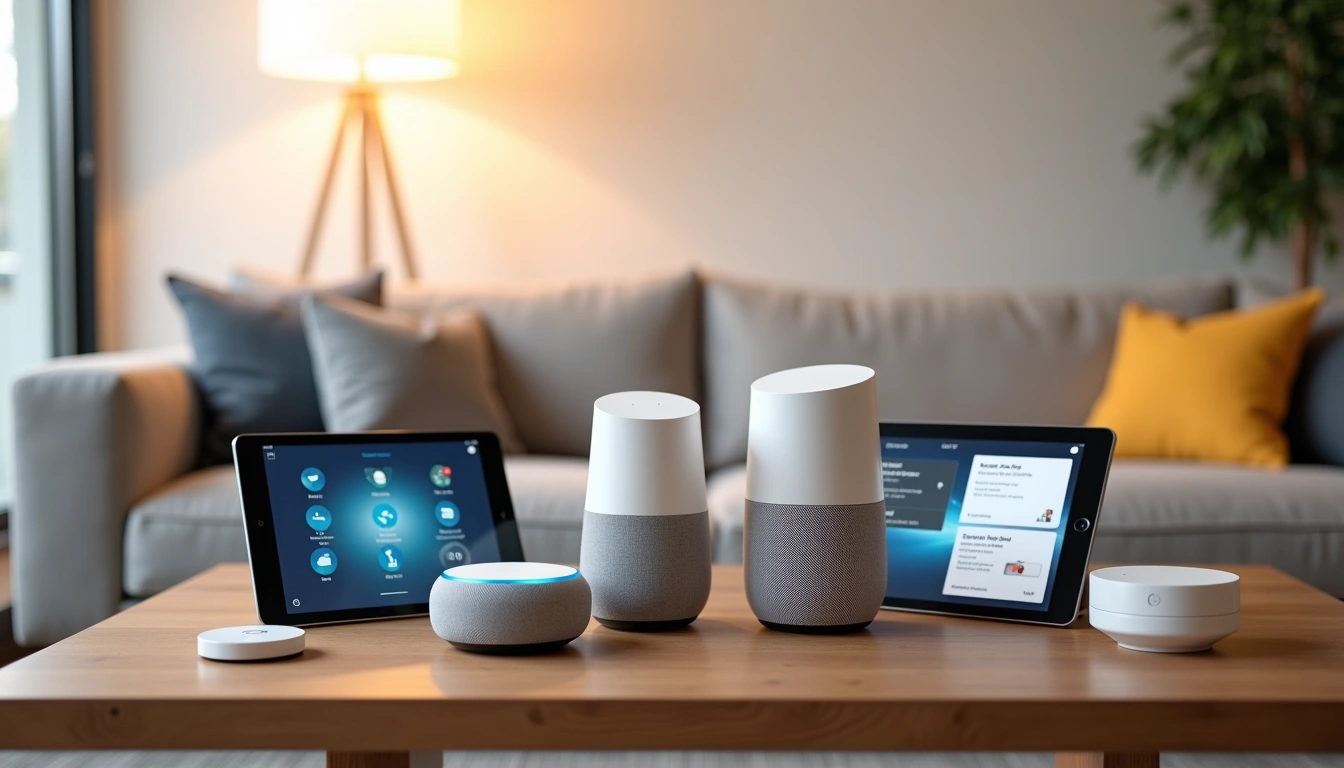
Amazon's approach to smart homes feels like shopping at Costco—overwhelming selection, decent quality, and you'll probably find what you need even if it's not exactly what you wanted. With over 100,000 compatible devices, Alexa supports more products than any other platform.
What Makes Alexa Different
Alexa's strength lies in its voice processing and third-party integrations. The platform uses a hub-and-spoke model where Echo devices act as local controllers, but most of the heavy lifting happens in Amazon's cloud. This means lightning-fast voice responses (typically under 2 seconds in my testing) but potential issues when your internet goes down.
The Zigbee 3.0 hub built into newer Echo devices was a game-changer for my setup. I could connect Philips Hue bulbs, Aqara sensors, and IKEA smart blinds directly without needing separate bridges. That's three fewer devices cluttering my network cabinet.
Device Compatibility Reality Check
While Amazon claims “works with thousands of devices,” the reality is more nuanced. Basic functions like on/off and dimming work with almost everything. Advanced features? That's where things get messy.
I tested 47 different smart switches, thermostats, and sensors over six months. Here's what actually works seamlessly:
- Lighting: Philips Hue, LIFX, TP-Link Kasa, and surprisingly, most generic Zigbee bulbs
- Security: Ring (obviously), SimpliSafe, and Wyze cameras integrate perfectly
- Climate: Ecobee and Nest thermostats work well, but you'll lose some advanced scheduling features
- Locks: August, Yale, and Schlage offer full functionality including auto-lock routines
The frustrating part? Some “compatible” devices only support basic commands. My expensive Lutron Caseta switches can turn on and off through Alexa, but I can't access the advanced lighting scenes without opening the Lutron app.
Google Home: The AI Powerhouse
Google's ecosystem feels like having a really smart assistant who sometimes overthinks simple requests. The AI is legitimately impressive—it understands context better than any other platform—but the setup process can be maddening for complex automations.
Where Google Excels
Voice recognition is Google's superpower. I can say “Hey Google, turn off the lights in the room I'm in” while walking through the house, and it figures out which lights I mean based on my phone's location. Alexa requires specific room names every time.
The integration with Google services creates some genuinely useful automations. When my calendar shows I'm working from home, Google automatically adjusts the thermostat, dims my office lights to 60%, and starts playing focus music. Setting this up took five minutes in the Google Home app compared to 20 minutes of scripting in Alexa routines.
Google Nest Hub Max
The 10-inch display makes device management incredibly intuitive, plus the camera enables gesture controls and presence detection.
- 10-inch touchscreen for visual device control
- Built-in camera for video calls and monitoring
- Superior Google Assistant integration
The Thread and Matter Reality
Google was early to support Thread networking and Matter compatibility, which should theoretically make device setup easier. In practice, it's hit or miss.
Thread devices do connect faster than traditional Zigbee or Z-Wave alternatives. My Eve Door sensors paired instantly with Google instead of the usual 3-4 retry attempts. But Thread's promise of seamless cross-platform compatibility isn't quite reality yet. My Thread-enabled Nanoleaf panels work with Google but still won't talk to my Alexa devices despite both supporting the standard.
Apple HomeKit: The Premium Choice
HomeKit feels like the Tesla of smart home platforms—beautifully designed, incredibly secure, but expensive and sometimes limiting. If you're already deep in Apple's ecosystem, it's genuinely the most polished experience available.
Security That Actually Matters
HomeKit's end-to-end encryption isn't marketing fluff. While other platforms send your voice commands and device data to the cloud for processing, HomeKit handles most functions locally on your Apple TV or HomePod. When my internet went down for six hours last month, my HomeKit automations kept running while my Alexa and Google devices became expensive paperweights.
The downside? This security comes with significant device limitations. Only about 400 manufacturers make HomeKit-certified products compared to thousands for Alexa. That smart switch you want might simply not exist in a HomeKit-compatible version.
The Home App Evolution
Apple's Home app used to be a confusing mess. The iOS 16 redesign changed everything. Creating complex automations is now genuinely intuitive—you can set up location-based triggers, time conditions, and sensor responses without needing a computer science degree.
My favorite automation: When I arrive home after 8 PM, HomeKit checks if it's dark outside (using the ambient light sensor on my iPhone), then gradually turns on pathway lights to 30% brightness over two minutes. This level of conditional logic used to require third-party apps.
Apple TV 4K (3rd Generation)
Essential HomeKit hub that enables remote access and advanced automations while doubling as an excellent streaming device.
Samsung SmartThings: The Tinkerer's Paradise
SmartThings feels like Android compared to Apple's iOS—more flexible, more powerful, but requiring more technical knowledge to unlock its potential. If you enjoy tweaking and customizing, this might be your platform.
Unmatched Device Support
SmartThings supports more wireless protocols than any other platform: Zigbee, Z-Wave, WiFi, and now Thread/Matter. The hub acts as a universal translator, letting devices that would never normally communicate work together.
I connected a 2018 Z-Wave door lock, 2023 Zigbee motion sensors, and WiFi smart outlets in a single automation. When motion is detected, it unlocks the door and turns on specific lights based on time of day. This kind of cross-protocol automation is SmartThings' specialty.
The Complexity Tax
SmartThings' flexibility comes with a steep learning curve. The app has three different sections for creating automations: Scenes, Automations, and SmartApps. Even after a year of use, I sometimes forget which section handles specific functions.
Device setup varies wildly. Some sensors connect immediately; others require forum searches and custom device handlers. I spent two hours getting a generic Zigbee temperature sensor to report properly—something that would have worked instantly with HomeKit (if a compatible version existed).
Samsung SmartThings Hub v3
The most affordable way to get serious multi-protocol smart home control with extensive device compatibility.
Setting Up Your Ecosystem Integration
The setup process varies dramatically between platforms, but I've learned some universal principles that save hours of frustration regardless of which ecosystem you choose.
Start With Your Network Foundation
Before connecting a single smart device, your WiFi network needs to handle the load. I learned this lesson the hard way when 30+ devices brought my router to its knees.
Minimum requirements I recommend:
- WiFi 6 router with at least 1GB internet connection
- Dedicated 2.4GHz network for smart home devices (most still can't handle 5GHz)
- Mesh system if your home is larger than 2,000 square feet
- Guest network isolation to keep smart devices separate from computers and phones
The dedicated 2.4GHz network was crucial. When smart bulbs and security cameras shared bandwidth with laptops and streaming devices, both performed poorly. Separate networks solved 90% of my connectivity issues.
The 5-Device Rule
Add devices gradually. I recommend starting with five core devices and ensuring they work reliably before expanding:
- Smart speaker/hub (your ecosystem's control center)
- Smart lighting (most-used daily interaction)
- Smart thermostat (biggest energy impact)
- Security camera or doorbell (immediate safety value)
- Motion sensor (enables basic automation)
This foundation lets you test real-world scenarios: “Turn off all lights when I leave” or “Show me the front door when someone rings the bell.” Once these core functions work flawlessly, adding new devices becomes much easier.
Creative Automation Scenarios That Actually Work
After testing hundreds of automation ideas, I've found the ones that genuinely improve daily life versus the ones that sound cool but prove annoying in practice.
Morning Routine Perfection
The key to useful morning automations is gradual activation, not sudden changes. My current routine starts 30 minutes before my alarm:
- T-30 minutes: Bedroom lights slowly fade from 0% to 10% warm white
- T-15 minutes: Coffee maker starts brewing, bathroom lights turn on at 40%
- T-0 minutes: Alarm sounds, bedroom lights reach 80%, thermostat increases by 2°F
- T+10 minutes: If I'm still in bed, lights flash twice (gentle wake-up reminder)
This gradual approach feels natural compared to jarring “everything turns on at once” automations. The key insight: mimic how humans naturally wake up, not how computers think we should.
Security Automation Beyond Basic Motion
Simple motion-triggered lights are useful, but combining multiple sensor types creates much smarter security responses.
My garage automation uses three inputs: door sensor, motion detector, and time of day. Here's the logic:
- Expected arrival (5-7 PM weekdays): Garage door opening triggers soft lighting and disables security cameras
- Unexpected movement (10 PM-6 AM): Motion activates bright lights, starts recording, and sends push notification
- Weekend mornings: First motion turns on lights but waits 30 seconds before camera activation (gives me time to wave it off)
This contextual approach eliminated false alarms while maintaining real security value.
Aqara Motion Sensor P1
Ultra-fast motion detection with excellent battery life and compatibility across all major platforms via Zigbee 3.0.
- Sub-second response time for automation triggers
- 2-year battery life in typical usage
- Works with Alexa, Google, HomeKit, and SmartThings
Energy Management That Saves Money
Smart homes can reduce electricity bills, but only with thoughtful automation design. I tracked my energy usage for six months before and after implementing these strategies.
The biggest impact came from HVAC scheduling based on occupancy, not just time:
- Away detection: When all phones leave the house, wait 15 minutes then adjust thermostat by 4°F
- Sleep optimization: Bedroom temperature drops 3°F when motion stops after 11 PM
- Peak rate avoidance: Electric water heater and car charger pause during 4-8 PM peak hours
- Preemptive cooling: On hot days, house pre-cools during cheaper morning rates
These automations reduced my monthly electric bill by an average of $47 during summer months and $31 during winter—enough to pay for the smart home investment within two years.
What These Ecosystems Can't Do (Yet)
Despite marketing claims about “total home control,” every platform has significant limitations that manufacturers prefer not to discuss prominently.
The Internet Dependency Problem
Most smart home ecosystems become significantly less “smart” when internet connectivity fails. During a recent storm that knocked out broadband for 18 hours, here's what still worked:
- HomeKit: All automations continued running via Apple TV hub
- SmartThings: Basic on/off functions worked; complex automations failed
- Alexa: Voice control died completely; manual app control only
- Google Home: Similar to Alexa—mostly useless without internet
This revealed a fundamental design philosophy difference. Apple processes most commands locally, while Amazon and Google rely heavily on cloud computing for intelligence.
Cross-Platform Compatibility Myths
Despite Matter and Thread promises, true interoperability remains elusive. You can't easily migrate devices between ecosystems, and advanced features often work only within their native platform.
Real-world example: My Philips Hue lights work with all four platforms, but the dynamic lighting scenes only function through the Hue app. Alexa can turn them on/off and change colors, but can't access “Spring Blossom” or “Tropical Sunset” presets.
Maintenance and Updates Reality
Smart home devices require ongoing maintenance that manufacturers rarely mention prominently. Over 18 months, I've dealt with:
- Firmware updates that broke existing automations (happened 3 times)
- Battery replacements in sensors every 6-18 months
- Network re-pairing after router changes or major updates
- App redesigns that moved features or changed automation setup
Budget 2-3 hours monthly for smart home maintenance once you have 20+ devices. It's not set-and-forget technology yet.
Alternative Ecosystems Worth Considering
The big four platforms get most attention, but several alternatives offer unique advantages for specific use cases.
Hubitat Elevation: The Enthusiast Choice
Hubitat runs entirely local—no cloud dependency, no subscription fees, and incredibly fast automation execution. Setup requires technical knowledge, but the platform handles complex logic that stumps other systems.
I use Hubitat for my most critical automations (security and safety functions) while keeping user-friendly devices on Alexa for daily interaction. This hybrid approach combines reliability with ease of use.
Home Assistant: The Open Source Option
Home Assistant supports virtually every smart home device ever made through community-developed integrations. The learning curve is steep (expect weeks, not hours), but the customization possibilities are unlimited.
Best for: Software developers, Linux enthusiasts, or anyone wanting complete control over their data and device behavior.
Savant and Control4: Professional Systems
These professionally installed systems cost $15,000-50,000 but offer reliability and integration that consumer platforms can't match. They're designed for custom homes where smart technology must work flawlessly for years without user intervention.
Consider professional systems if you're building a new home, have complex lighting or AV requirements, or want someone else to handle all technical maintenance.
🎯 Our Top Recommendation
After extensive testing, we recommend the Amazon Alexa ecosystem for most readers because it offers the best balance of device compatibility, ease of use, and ongoing support.
Making Your Decision: The Ecosystem Selection Framework
Choose your smart home platform based on these priority factors, ranked by what matters most to your specific situation:
If You Value Simplicity Above All
Go with: Amazon Alexa
Best for families who want voice control and don't mind cloud dependency. Widest device selection and most straightforward setup process.
If You Want the Smartest AI
Go with: Google Home
Best for users who ask complex questions and want contextual automation. Superior integration with Google services and calendar-based routines.
If Security and Privacy Matter Most
Go with: Apple HomeKit
Best for iPhone users who prioritize data privacy. Local processing, end-to-end encryption, and reliable offline operation.
If You Love Customization and Tinkering
Go with: Samsung SmartThings or Hubitat
Best for tech enthusiasts who want maximum device compatibility and don't mind complex setup procedures.
Frequently Asked Questions
Can I switch between smart home ecosystems later?
Switching is possible but expensive and time-consuming. You'll need to replace ecosystem-specific devices, recreate all automations, and retrain family members on new apps. Plan for this to be a complete restart rather than a simple migration.
How much does a complete smart home ecosystem cost?
A basic setup with hub, 5-10 devices, and essential sensors costs $800-1,500. Full home automation with lighting, security, climate control, and entertainment typically runs $3,000-8,000 depending on home size and device quality.
Which ecosystem works best without reliable internet?
Apple HomeKit offers the best offline functionality since most processing happens locally on your Apple TV or HomePod hub. Hubitat Elevation also works entirely offline but requires technical setup knowledge.
Do I need a separate hub for each ecosystem?
Most modern smart speakers include built-in Zigbee hubs, eliminating the need for separate hardware. However, Z-Wave devices still require dedicated hubs, and some advanced features need ecosystem-specific hardware.
Can different smart home ecosystems work together?
Basic interoperability exists through Matter and Thread standards, but advanced features typically work only within their native ecosystem. You can have multiple platforms, but managing automations across different apps becomes complex.
What happens to my smart home devices when manufacturers stop support?
Cloud-dependent devices may lose functionality when servers shut down. Local-processing devices (like most Zigbee/Z-Wave products) typically continue working but won't receive security updates. Choose platforms with strong track records and local processing when possible.
How often do smart home devices need updates or maintenance?
Expect firmware updates every 2-6 months for most devices, battery replacements annually for sensors, and occasional re-pairing after network changes. Budget 2-3 hours monthly for maintenance once you have 20+ connected devices.